'%3e%3cpath%20fill='%230CCF60'%20d='M158.25%20175.542c0-29.271%2023.729-53%2053-53h131.375c29.271%200%2053%2023.729%2053%2053v131.023c0%2029.271-23.729%2053-53%2053H211.25c-29.271%200-53-23.729-53-53V175.542Z'/%3e%3cpath%20fill='%23D2DE75'%20d='M158.25%20452.518c0-29.271%2023.729-53%2053-53h131.375c29.271%200%2053%2023.729%2053%2053v131.024c0%2029.271-23.729%2053-53%2053H211.25c-29.271%200-53-23.729-53-53V452.518Z'/%3e%3cpath%20fill='%2315B66A'%20d='M434.875%20175.542c0-29.271%2023.729-53%2053-53H619.25c29.271%200%2053%2023.729%2053%2053v131.023c0%2029.271-23.729%2053-53%2053H487.875c-29.271%200-53-23.729-53-53V175.542Z'/%3e%3cpath%20fill='%23E7A95D'%20d='M434.875%20452.518c0-29.271%2023.729-53%2053-53H619.25c29.271%200%2053%2023.729%2053%2053v131.024c0%2029.271-23.729%2053-53%2053H487.875c-29.271%200-53-23.729-53-53V452.518Z'/%3e%3cpath%20fill='url(%23b)'%20d='M728.088%20123.584C586.142%2039.806%209.186-194.997%204.001%20342.299c-.08%208.242%206.658%2015.349%2014.9%2015.322l81.72-.262c8.736-.028%2015.536-8.148%2015.058-16.87-31.398-572.572%20754.324-133.144%20612.409-216.905Z'/%3e%3c/g%3e%3cdefs%3e%3clinearGradient%20id='b'%20x1='34.575'%20x2='673.419'%20y1='229.473'%20y2='-93.138'%20gradientUnits='userSpaceOnUse'%3e%3cstop%20stop-color='%2328E77B'/%3e%3cstop%20offset='1'%20stop-color='%2315B66A'/%3e%3c/linearGradient%3e%3cfilter%20id='a'%20width='749.251'%20height='644.542'%20x='0'%20y='0'%20color-interpolation-filters='sRGB'%20filterUnits='userSpaceOnUse'%3e%3cfeFlood%20flood-opacity='0'%20result='BackgroundImageFix'/%3e%3cfeColorMatrix%20in='SourceAlpha'%20result='hardAlpha'%20values='0%200%200%200%200%200%200%200%200%200%200%200%200%200%200%200%200%200%20127%200'/%3e%3cfeOffset%20dy='4'/%3e%3cfeGaussianBlur%20stdDeviation='2'/%3e%3cfeComposite%20in2='hardAlpha'%20operator='out'/%3e%3cfeColorMatrix%20values='0%200%200%200%200%200%200%200%200%200%200%200%200%200%200%200%200%200%200.25%200'/%3e%3cfeBlend%20in2='BackgroundImageFix'%20result='effect1_dropShadow_23_251'/%3e%3cfeBlend%20in='SourceGraphic'%20in2='effect1_dropShadow_23_251'%20result='shape'/%3e%3c/filter%3e%3c/defs%3e%3c/svg%3e)



About Parallel App - Dual App Cloner
Learn more about this application's features and capabilities.
Parallel Space is a versatile utility software designed for Android users who need to manage multiple social media or gaming accounts on a single device. By creating a virtualized environment, this tool allows users to clone applications and run them simultaneously without the need for constant logging in and out. It solves the common problem of balancing professional and personal digital identities while ensuring that data from different accounts remains isolated and organized.
Key Features
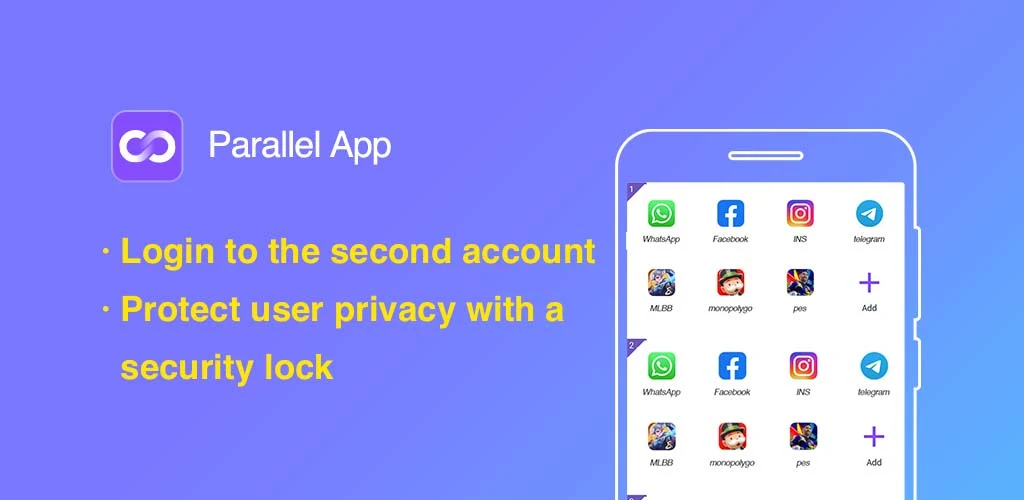
- App Cloning: Create a secondary instance of almost any Android application within a secure partition.
- Customizable Themes: Apply unique visual styles to cloned apps to easily distinguish between primary and secondary accounts.
- Privacy Guard: Use the Incognito Installation feature to hide sensitive apps from the device’s main interface.
- One-Tap Switching: Transition between different account environments quickly through a streamlined interface.
- Data Isolation: Ensure that notifications and storage data from cloned apps do not interfere with the original versions.
Use Cases
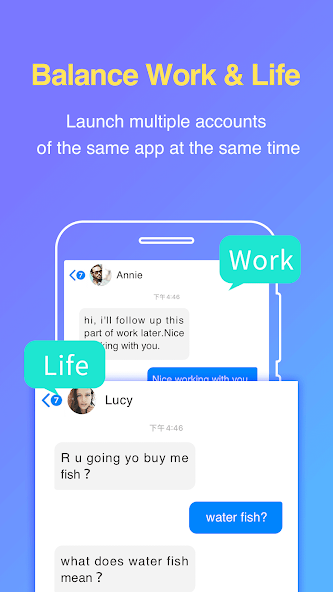
- Social Media Management: Run two instances of communication apps to keep work chats and private messages separate.
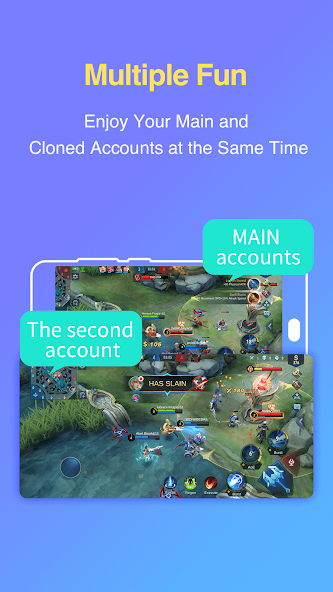
- Mobile Gaming: Log into two different game profiles simultaneously to double the experience gain or trade items between accounts.
- Privacy Protection: Install apps exclusively within the platform to keep them hidden from the phone's app drawer.
- App Testing: Test different settings or configurations in a cloned environment without affecting the main application data.
Why Choose Parallel Space
This platform provides a stable and highly compatible solution for multi-accounting that supports the majority of apps on the Google Play Store. It is a lightweight tool that optimizes system resources while offering a high degree of customization, making it an efficient choice for users who prioritize organization and privacy.
Pros and Cons
Pros
- High compatibility with a wide range of social and gaming applications.
- Simple user interface that requires no technical expertise.
- Effective separation of account data and notifications.
Cons
- May consume additional battery and RAM since multiple apps run at once.
- Requires various system permissions to ensure cloned apps function correctly.
Final Verdict
Parallel Space is an effective and reliable solution for anyone needing to juggle multiple digital personas on one smartphone. While it demands significant system permissions, its ability to seamlessly clone and manage apps makes it a must-have utility for power users.
Ratings & Reviews
Please log in to write a review.
No reviews yet. Be the first to rate!