'%3e%3cpath%20fill='%230CCF60'%20d='M158.25%20175.542c0-29.271%2023.729-53%2053-53h131.375c29.271%200%2053%2023.729%2053%2053v131.023c0%2029.271-23.729%2053-53%2053H211.25c-29.271%200-53-23.729-53-53V175.542Z'/%3e%3cpath%20fill='%23D2DE75'%20d='M158.25%20452.518c0-29.271%2023.729-53%2053-53h131.375c29.271%200%2053%2023.729%2053%2053v131.024c0%2029.271-23.729%2053-53%2053H211.25c-29.271%200-53-23.729-53-53V452.518Z'/%3e%3cpath%20fill='%2315B66A'%20d='M434.875%20175.542c0-29.271%2023.729-53%2053-53H619.25c29.271%200%2053%2023.729%2053%2053v131.023c0%2029.271-23.729%2053-53%2053H487.875c-29.271%200-53-23.729-53-53V175.542Z'/%3e%3cpath%20fill='%23E7A95D'%20d='M434.875%20452.518c0-29.271%2023.729-53%2053-53H619.25c29.271%200%2053%2023.729%2053%2053v131.024c0%2029.271-23.729%2053-53%2053H487.875c-29.271%200-53-23.729-53-53V452.518Z'/%3e%3cpath%20fill='url(%23b)'%20d='M728.088%20123.584C586.142%2039.806%209.186-194.997%204.001%20342.299c-.08%208.242%206.658%2015.349%2014.9%2015.322l81.72-.262c8.736-.028%2015.536-8.148%2015.058-16.87-31.398-572.572%20754.324-133.144%20612.409-216.905Z'/%3e%3c/g%3e%3cdefs%3e%3clinearGradient%20id='b'%20x1='34.575'%20x2='673.419'%20y1='229.473'%20y2='-93.138'%20gradientUnits='userSpaceOnUse'%3e%3cstop%20stop-color='%2328E77B'/%3e%3cstop%20offset='1'%20stop-color='%2315B66A'/%3e%3c/linearGradient%3e%3cfilter%20id='a'%20width='749.251'%20height='644.542'%20x='0'%20y='0'%20color-interpolation-filters='sRGB'%20filterUnits='userSpaceOnUse'%3e%3cfeFlood%20flood-opacity='0'%20result='BackgroundImageFix'/%3e%3cfeColorMatrix%20in='SourceAlpha'%20result='hardAlpha'%20values='0%200%200%200%200%200%200%200%200%200%200%200%200%200%200%200%200%200%20127%200'/%3e%3cfeOffset%20dy='4'/%3e%3cfeGaussianBlur%20stdDeviation='2'/%3e%3cfeComposite%20in2='hardAlpha'%20operator='out'/%3e%3cfeColorMatrix%20values='0%200%200%200%200%200%200%200%200%200%200%200%200%200%200%200%200%200%200.25%200'/%3e%3cfeBlend%20in2='BackgroundImageFix'%20result='effect1_dropShadow_23_251'/%3e%3cfeBlend%20in='SourceGraphic'%20in2='effect1_dropShadow_23_251'%20result='shape'/%3e%3c/filter%3e%3c/defs%3e%3c/svg%3e)

About Apple Developer
Learn more about this application's features and capabilities.
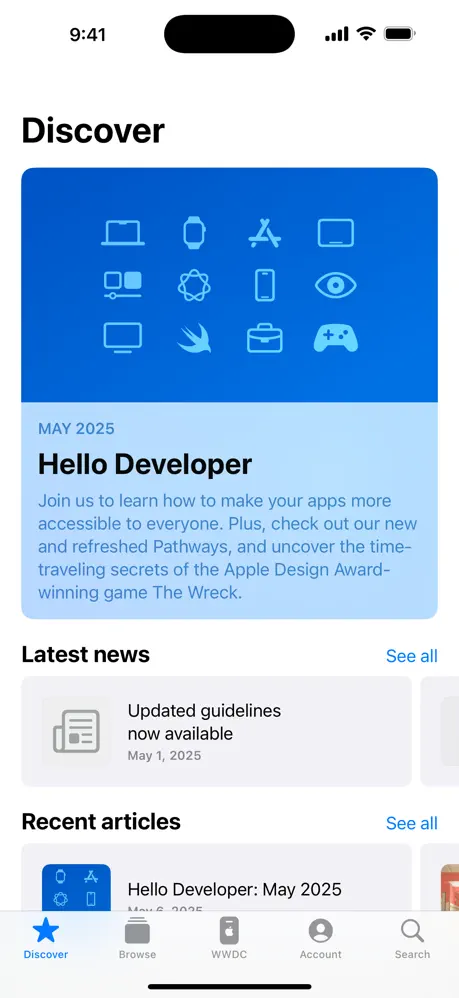
Apple Developer is the official software tool designed for programmers, engineers, and designers who build applications for the Apple ecosystem. It serves as a centralized platform for accessing technical documentation, engineering videos, and the latest news regarding WWDC and platform updates. By consolidating disparate resources into a single interface, it solves the problem of staying current with rapidly evolving APIs and development guidelines across iOS, macOS, watchOS, and tvOS.
Key Features
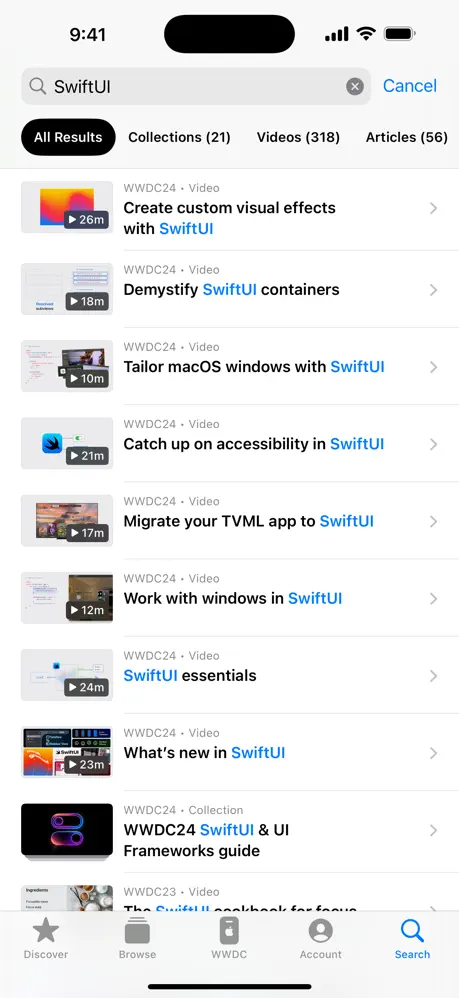
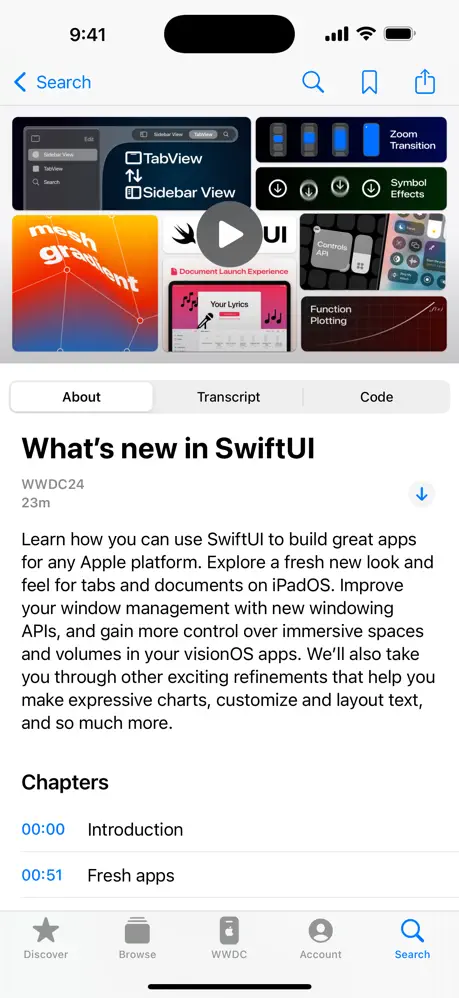
- Technical Library: Access a comprehensive collection of videos and articles covering coding best practices and UI design.
- WWDC Integration: Stream live sessions and browse through years of archived content from the Worldwide Developers Conference.
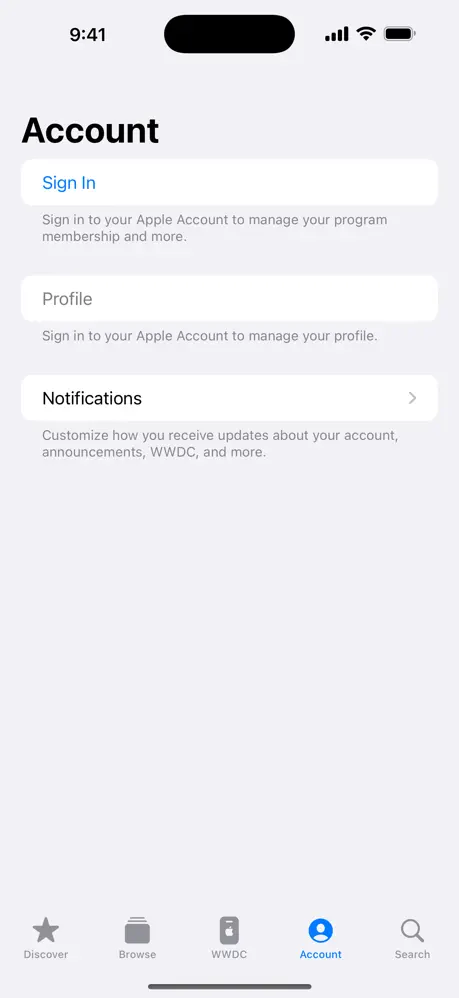
- Account Management: Enroll in the Developer Program and manage memberships or app certificates directly through the app.
- Discovery Tools: Browse curated content based on specific frameworks, languages, and development topics.
- Notifications: Receive real-time alerts for new software releases, technical updates, and event registrations.
Use Cases
- On-the-go Learning: Watch technical sessions or read documentation during commutes to stay updated on Swift and SwiftUI.
- Project Troubleshooting: Search for specific engineering videos to resolve implementation hurdles in active projects.
- Event Planning: Use the schedule features to track and attend virtual sessions during major developer events.
- Membership Maintenance: Renew developer licenses and handle administrative tasks without needing a desktop browser.
Why Choose Apple Developer
Using the Apple Developer platform ensures that you are receiving information directly from the source. The tool provides the most accurate and up-to-date guidance available, helping developers minimize technical debt and implement features that align with current hardware capabilities.
Pros and Cons
Pros
- Offline viewing support for video content.
- High-quality, professional technical production.
- Direct synchronization with developer account credentials.
Cons
- Content is highly specialized and not suitable for general users.
- Search functionality can occasionally be too broad for specific code snippets.
Final Verdict
Apple Developer is an essential resource for anyone serious about building high-quality software for Apple devices. It balances administrative utility with educational depth, making it a vital companion for both independent creators and enterprise teams.
Ratings & Reviews
Please log in to write a review.
No reviews yet. Be the first to rate!