'%3e%3cpath%20fill='%230CCF60'%20d='M158.25%20175.542c0-29.271%2023.729-53%2053-53h131.375c29.271%200%2053%2023.729%2053%2053v131.023c0%2029.271-23.729%2053-53%2053H211.25c-29.271%200-53-23.729-53-53V175.542Z'/%3e%3cpath%20fill='%23D2DE75'%20d='M158.25%20452.518c0-29.271%2023.729-53%2053-53h131.375c29.271%200%2053%2023.729%2053%2053v131.024c0%2029.271-23.729%2053-53%2053H211.25c-29.271%200-53-23.729-53-53V452.518Z'/%3e%3cpath%20fill='%2315B66A'%20d='M434.875%20175.542c0-29.271%2023.729-53%2053-53H619.25c29.271%200%2053%2023.729%2053%2053v131.023c0%2029.271-23.729%2053-53%2053H487.875c-29.271%200-53-23.729-53-53V175.542Z'/%3e%3cpath%20fill='%23E7A95D'%20d='M434.875%20452.518c0-29.271%2023.729-53%2053-53H619.25c29.271%200%2053%2023.729%2053%2053v131.024c0%2029.271-23.729%2053-53%2053H487.875c-29.271%200-53-23.729-53-53V452.518Z'/%3e%3cpath%20fill='url(%23b)'%20d='M728.088%20123.584C586.142%2039.806%209.186-194.997%204.001%20342.299c-.08%208.242%206.658%2015.349%2014.9%2015.322l81.72-.262c8.736-.028%2015.536-8.148%2015.058-16.87-31.398-572.572%20754.324-133.144%20612.409-216.905Z'/%3e%3c/g%3e%3cdefs%3e%3clinearGradient%20id='b'%20x1='34.575'%20x2='673.419'%20y1='229.473'%20y2='-93.138'%20gradientUnits='userSpaceOnUse'%3e%3cstop%20stop-color='%2328E77B'/%3e%3cstop%20offset='1'%20stop-color='%2315B66A'/%3e%3c/linearGradient%3e%3cfilter%20id='a'%20width='749.251'%20height='644.542'%20x='0'%20y='0'%20color-interpolation-filters='sRGB'%20filterUnits='userSpaceOnUse'%3e%3cfeFlood%20flood-opacity='0'%20result='BackgroundImageFix'/%3e%3cfeColorMatrix%20in='SourceAlpha'%20result='hardAlpha'%20values='0%200%200%200%200%200%200%200%200%200%200%200%200%200%200%200%200%200%20127%200'/%3e%3cfeOffset%20dy='4'/%3e%3cfeGaussianBlur%20stdDeviation='2'/%3e%3cfeComposite%20in2='hardAlpha'%20operator='out'/%3e%3cfeColorMatrix%20values='0%200%200%200%200%200%200%200%200%200%200%200%200%200%200%200%200%200%200.25%200'/%3e%3cfeBlend%20in2='BackgroundImageFix'%20result='effect1_dropShadow_23_251'/%3e%3cfeBlend%20in='SourceGraphic'%20in2='effect1_dropShadow_23_251'%20result='shape'/%3e%3c/filter%3e%3c/defs%3e%3c/svg%3e)




About Canva: AI Photo & Video Editor
Learn more about this application's features and capabilities.
Canva is a versatile graphic design platform created for individuals and businesses who need to produce professional visual content without advanced technical skills. This software solves the common problem of complex design workflows by providing an intuitive drag-and-drop interface. Whether you are a social media manager, a small business owner, or a student, this tool simplifies the creation of everything from presentations to social media posts through a comprehensive suite of AI-powered editing features.
Key Features
- AI-Powered Magic Studio: Use generative AI to create images from text descriptions or automate photo editing tasks.
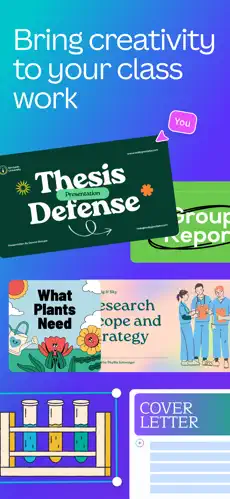
- Extensive Template Library: Access thousands of professionally designed layouts for social media, resumes, and marketing materials.
- Video Editing Suite: Create and edit high-quality videos with transitions, animations, and royalty-free audio tracks.
- Brand Kit Management: Maintain visual consistency by storing logos, brand colors, and specific fonts in one central location.
- Real-Time Collaboration: Work simultaneously with team members on the same project with live commenting and editing capabilities.
Use Cases
- Social Media Marketing: Rapidly produce engaging Instagram reels, stories, and LinkedIn banners using pre-sized templates.
- Business Presentations: Develop professional slide decks with data visualization tools and interactive elements.
- Print Media Design: Create high-resolution flyers, business cards, and posters ready for physical production.
- Personal Projects: Design custom invitations, calendars, or photo collages for personal events and gifts.
Why Choose Canva
This platform bridges the gap between basic photo filters and high-end professional software. By using Canva, users gain access to a massive ecosystem of stock assets and streamlined workflows that save hours of manual labor. It is a reliable tool for anyone who prioritizes efficiency and aesthetic quality in their digital communications.
Pros and Cons
Pros
- User-friendly interface accessible to beginners.
- Seamless synchronization across mobile and desktop devices.
- Massive library of free elements, fonts, and stock photography.
Cons
- Requires a stable internet connection for most features.
- Advanced designers may find the layout tools less flexible than specialized vector software.
Final Verdict
Canva is an essential design tool that democratizes professional-grade
Ratings & Reviews
Please log in to write a review.
No reviews yet. Be the first to rate!