'%3e%3cpath%20fill='%230CCF60'%20d='M158.25%20175.542c0-29.271%2023.729-53%2053-53h131.375c29.271%200%2053%2023.729%2053%2053v131.023c0%2029.271-23.729%2053-53%2053H211.25c-29.271%200-53-23.729-53-53V175.542Z'/%3e%3cpath%20fill='%23D2DE75'%20d='M158.25%20452.518c0-29.271%2023.729-53%2053-53h131.375c29.271%200%2053%2023.729%2053%2053v131.024c0%2029.271-23.729%2053-53%2053H211.25c-29.271%200-53-23.729-53-53V452.518Z'/%3e%3cpath%20fill='%2315B66A'%20d='M434.875%20175.542c0-29.271%2023.729-53%2053-53H619.25c29.271%200%2053%2023.729%2053%2053v131.023c0%2029.271-23.729%2053-53%2053H487.875c-29.271%200-53-23.729-53-53V175.542Z'/%3e%3cpath%20fill='%23E7A95D'%20d='M434.875%20452.518c0-29.271%2023.729-53%2053-53H619.25c29.271%200%2053%2023.729%2053%2053v131.024c0%2029.271-23.729%2053-53%2053H487.875c-29.271%200-53-23.729-53-53V452.518Z'/%3e%3cpath%20fill='url(%23b)'%20d='M728.088%20123.584C586.142%2039.806%209.186-194.997%204.001%20342.299c-.08%208.242%206.658%2015.349%2014.9%2015.322l81.72-.262c8.736-.028%2015.536-8.148%2015.058-16.87-31.398-572.572%20754.324-133.144%20612.409-216.905Z'/%3e%3c/g%3e%3cdefs%3e%3clinearGradient%20id='b'%20x1='34.575'%20x2='673.419'%20y1='229.473'%20y2='-93.138'%20gradientUnits='userSpaceOnUse'%3e%3cstop%20stop-color='%2328E77B'/%3e%3cstop%20offset='1'%20stop-color='%2315B66A'/%3e%3c/linearGradient%3e%3cfilter%20id='a'%20width='749.251'%20height='644.542'%20x='0'%20y='0'%20color-interpolation-filters='sRGB'%20filterUnits='userSpaceOnUse'%3e%3cfeFlood%20flood-opacity='0'%20result='BackgroundImageFix'/%3e%3cfeColorMatrix%20in='SourceAlpha'%20result='hardAlpha'%20values='0%200%200%200%200%200%200%200%200%200%200%200%200%200%200%200%200%200%20127%200'/%3e%3cfeOffset%20dy='4'/%3e%3cfeGaussianBlur%20stdDeviation='2'/%3e%3cfeComposite%20in2='hardAlpha'%20operator='out'/%3e%3cfeColorMatrix%20values='0%200%200%200%200%200%200%200%200%200%200%200%200%200%200%200%200%200%200.25%200'/%3e%3cfeBlend%20in2='BackgroundImageFix'%20result='effect1_dropShadow_23_251'/%3e%3cfeBlend%20in='SourceGraphic'%20in2='effect1_dropShadow_23_251'%20result='shape'/%3e%3c/filter%3e%3c/defs%3e%3c/svg%3e)

About Quick Graph
Learn more about this application's features and capabilities.
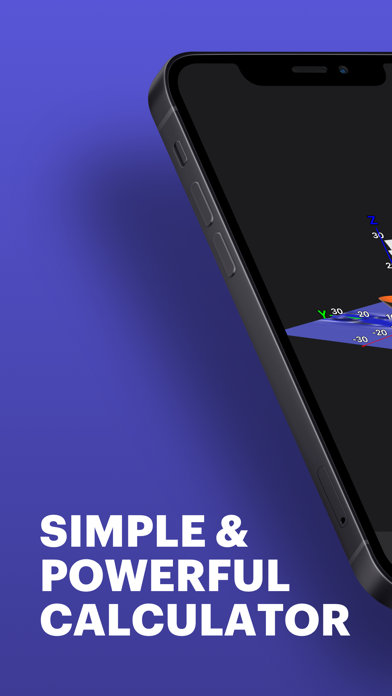
Quick Graph is a powerful graphic calculator software designed for students, engineers, and mathematicians who need to visualize complex equations on the go. The platform solves the problem of carrying bulky dedicated hardware by transforming a mobile device into a high-performance mathematical tool. It provides a reliable environment for plotting 2D and 3D functions, helping users better understand geometric relationships and algebraic structures.
Key Features
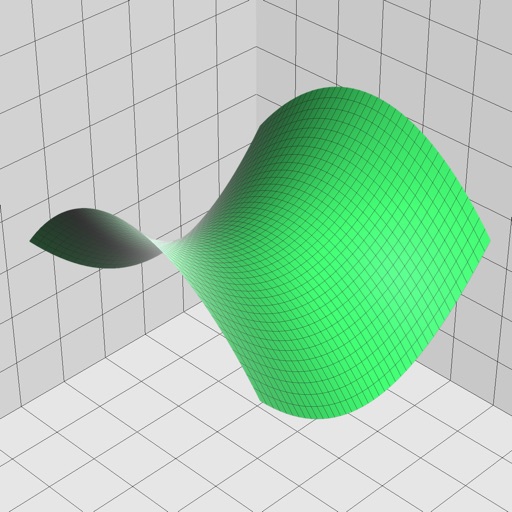
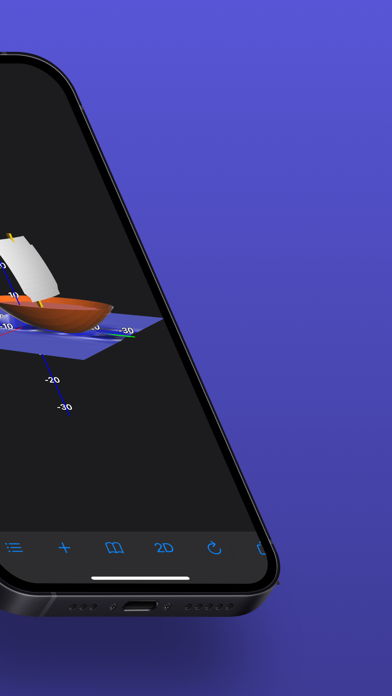
- 2D and 3D Graphing: Plot multiple equations simultaneously in both two-dimensional and three-dimensional spaces.
- Coordinate Systems: Support for Cartesian, polar, spherical, and cylindrical coordinate systems.
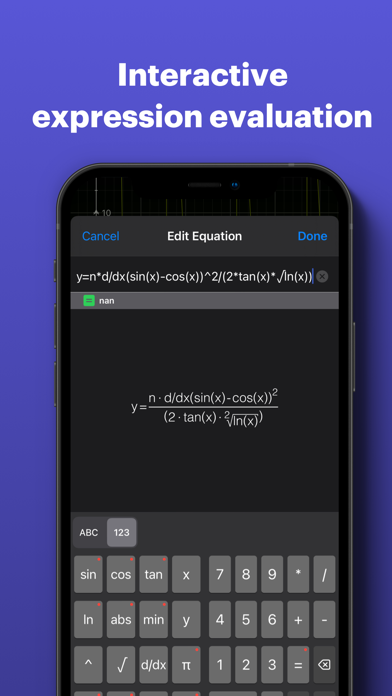
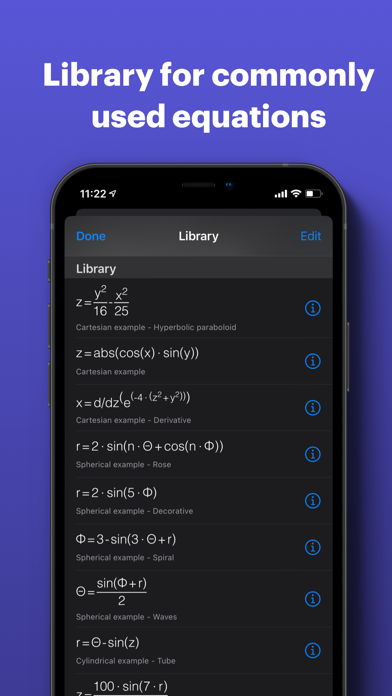
- Equation Library: A built-in library of common mathematical functions for faster entry and reference.
- Advanced Visualization: High-quality rendering that allows users to rotate, zoom, and pan through graphs in real-time.
- Implicit Equations: Ability to graph inequalities and implicit relations that standard calculators often struggle to display.
Use Cases
- Academic Research: Students can verify calculus or trigonometry homework by visualizing function behavior and intersections.
- Engineering Projects: Professional engineers can use the tool to perform quick field calculations and spatial modeling.
- Classroom Demonstrations: Educators can project the interface to illustrate the effects of changing variables in an equation.
- Data Analysis: Users can input specific data points to observe trends and geometric patterns within a coordinate plane.
Why Choose Quick Graph
This software stands out as a versatile mathematical tool due to its intuitive interface and robust processing engine. Unlike basic calculators, Quick Graph offers the benefit of high-definition 3D rendering, making it easier to interpret multi-variable functions. It balances professional-grade features with a layout that remains accessible for secondary education, ensuring long-term utility across different levels of expertise.
Pros and Cons
Pros
- Smooth and responsive 3D manipulation.
- Clean, ad-free interface that prioritizes workspace.
- Supports a wide range of mathematical notations and symbols.
Cons
- Advanced features may require a learning curve for beginners.
- Large datasets may impact performance on older hardware.
Final Verdict
Quick Graph is an essential platform for anyone requiring precise mathematical visualization without the need for a physical graphing calculator. It delivers a balanced mix of speed and depth, making it a top-tier choice for technical mobile applications.
Ratings & Reviews
Please log in to write a review.
No reviews yet. Be the first to rate!