'%3e%3cpath%20fill='%230CCF60'%20d='M158.25%20175.542c0-29.271%2023.729-53%2053-53h131.375c29.271%200%2053%2023.729%2053%2053v131.023c0%2029.271-23.729%2053-53%2053H211.25c-29.271%200-53-23.729-53-53V175.542Z'/%3e%3cpath%20fill='%23D2DE75'%20d='M158.25%20452.518c0-29.271%2023.729-53%2053-53h131.375c29.271%200%2053%2023.729%2053%2053v131.024c0%2029.271-23.729%2053-53%2053H211.25c-29.271%200-53-23.729-53-53V452.518Z'/%3e%3cpath%20fill='%2315B66A'%20d='M434.875%20175.542c0-29.271%2023.729-53%2053-53H619.25c29.271%200%2053%2023.729%2053%2053v131.023c0%2029.271-23.729%2053-53%2053H487.875c-29.271%200-53-23.729-53-53V175.542Z'/%3e%3cpath%20fill='%23E7A95D'%20d='M434.875%20452.518c0-29.271%2023.729-53%2053-53H619.25c29.271%200%2053%2023.729%2053%2053v131.024c0%2029.271-23.729%2053-53%2053H487.875c-29.271%200-53-23.729-53-53V452.518Z'/%3e%3cpath%20fill='url(%23b)'%20d='M728.088%20123.584C586.142%2039.806%209.186-194.997%204.001%20342.299c-.08%208.242%206.658%2015.349%2014.9%2015.322l81.72-.262c8.736-.028%2015.536-8.148%2015.058-16.87-31.398-572.572%20754.324-133.144%20612.409-216.905Z'/%3e%3c/g%3e%3cdefs%3e%3clinearGradient%20id='b'%20x1='34.575'%20x2='673.419'%20y1='229.473'%20y2='-93.138'%20gradientUnits='userSpaceOnUse'%3e%3cstop%20stop-color='%2328E77B'/%3e%3cstop%20offset='1'%20stop-color='%2315B66A'/%3e%3c/linearGradient%3e%3cfilter%20id='a'%20width='749.251'%20height='644.542'%20x='0'%20y='0'%20color-interpolation-filters='sRGB'%20filterUnits='userSpaceOnUse'%3e%3cfeFlood%20flood-opacity='0'%20result='BackgroundImageFix'/%3e%3cfeColorMatrix%20in='SourceAlpha'%20result='hardAlpha'%20values='0%200%200%200%200%200%200%200%200%200%200%200%200%200%200%200%200%200%20127%200'/%3e%3cfeOffset%20dy='4'/%3e%3cfeGaussianBlur%20stdDeviation='2'/%3e%3cfeComposite%20in2='hardAlpha'%20operator='out'/%3e%3cfeColorMatrix%20values='0%200%200%200%200%200%200%200%200%200%200%200%200%200%200%200%200%200%200.25%200'/%3e%3cfeBlend%20in2='BackgroundImageFix'%20result='effect1_dropShadow_23_251'/%3e%3cfeBlend%20in='SourceGraphic'%20in2='effect1_dropShadow_23_251'%20result='shape'/%3e%3c/filter%3e%3c/defs%3e%3c/svg%3e)

About CapCut: Photo & Video Editor
Learn more about this application's features and capabilities.
CapCut is an all-in-one photo and video editing platform designed to simplify the content creation process for social media enthusiasts and professional creators alike. Developed by ByteDance, this software provides a comprehensive suite of tools that solve the common struggle of producing high-quality, trending content without a steep learning curve. By offering a mobile-first interface alongside powerful AI-driven capabilities, the tool allows users to transform raw footage into polished, viral-ready media directly from their smartphones or tablets.
Key Features
- AI-Powered Auto Captions: Automatically generates and syncs subtitles by recognizing speech in multiple languages with high accuracy.
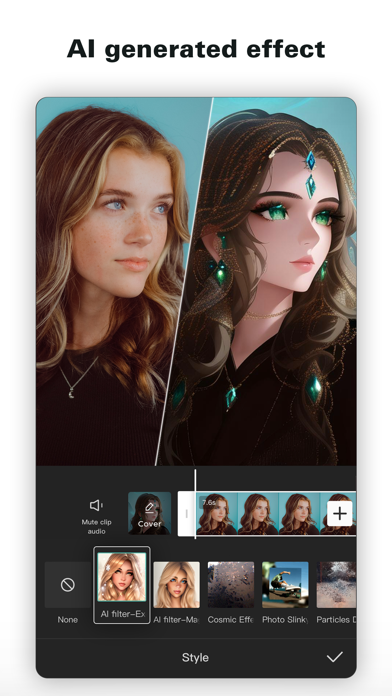
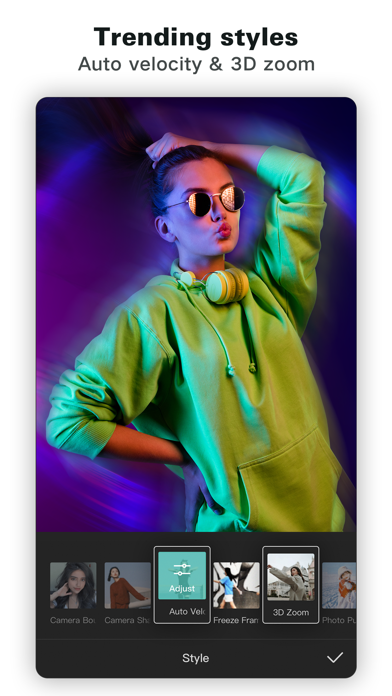
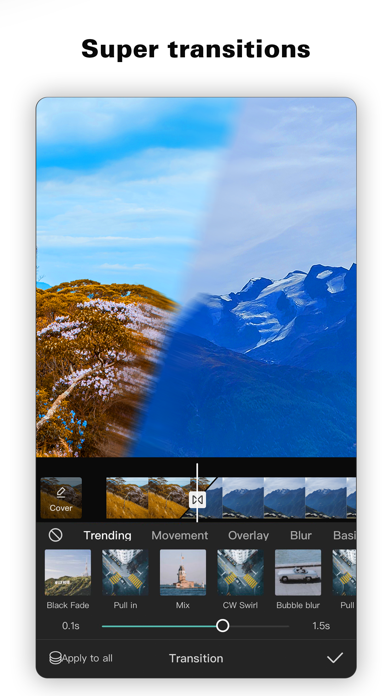
- Advanced Video Effects: Access to hundreds of trending filters and transitions, including 3D zoom, glitch effects, and smooth slow-motion.
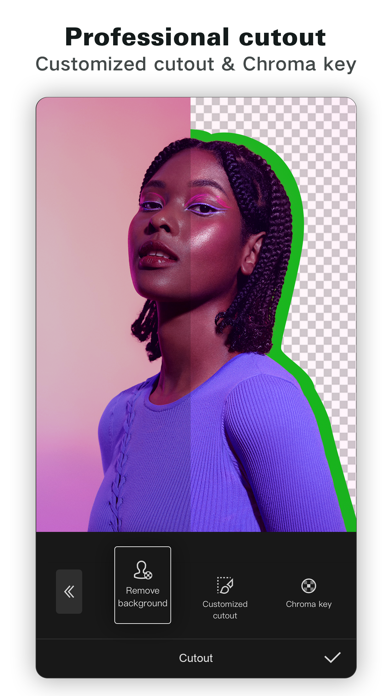
- Background Removal: An intelligent background remover that isolates subjects from their surroundings without the need for a green screen.
- Keyframe Animation: Precise control over movement and effects by setting specific points on the multi-track timeline.
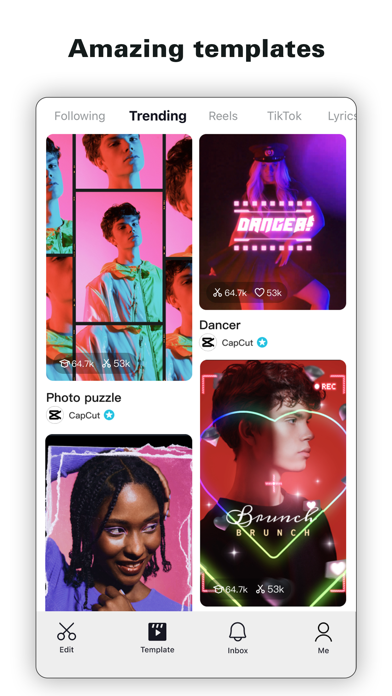
- Comprehensive Asset Library: A massive repository of royalty-free music, sound effects, stickers, and pre-designed text templates.
- Smart Speed Control: Features like speed ramping allow users to create cinematic fast or slow-motion sequences effortlessly.
Use Cases
- Social Media Content Creation: Influencers use the platform to produce reels, stories, and TikToks optimized for the latest viral trends.
- Digital Marketing: Small business owners utilize the tool to create professional-looking product ads and promotional clips on a budget.
- Educational Tutorials: Teachers and students use the auto-captioning and screen recording features to develop clear, accessible instructional videos.
- Vlogging and Personal Projects: Individual users edit travel vlogs or family memories with cinematic transitions and personalized soundtracks.
Why Choose CapCut
Choosing this software allows you to bypass expensive editing suites while still achieving professional results. CapCut stands out because it is natively designed for the vertical video era, integrating directly with platforms like TikTok for a seamless export workflow. The primary benefit of using this website and app is the speed it offers; you can go from a blank timeline to a fully edited project in minutes by leveraging its extensive library of templates and automated AI tools.
Pros and Cons
Pros
- Highly intuitive drag-and-drop interface suitable for absolute beginners.
- Robust set of free AI tools like text-to-speech and vocal isolation.
- Supports high-resolution 4K exports at 60fps for crisp visual quality.
Cons
- Some advanced templates and specific AI features require a Pro subscription.
- The platform is highly optimized for short-form content and may feel limited for long-form cinematic projects.
Final Verdict
CapCut is the definitive tool for anyone looking to excel in the modern landscape of digital storytelling. It successfully democratizes professional-grade editing, making it an essential platform for both casual creators and serious social media managers.
Ratings & Reviews
Please log in to write a review.
No reviews yet. Be the first to rate!