'%3e%3cpath%20fill='%230CCF60'%20d='M158.25%20175.542c0-29.271%2023.729-53%2053-53h131.375c29.271%200%2053%2023.729%2053%2053v131.023c0%2029.271-23.729%2053-53%2053H211.25c-29.271%200-53-23.729-53-53V175.542Z'/%3e%3cpath%20fill='%23D2DE75'%20d='M158.25%20452.518c0-29.271%2023.729-53%2053-53h131.375c29.271%200%2053%2023.729%2053%2053v131.024c0%2029.271-23.729%2053-53%2053H211.25c-29.271%200-53-23.729-53-53V452.518Z'/%3e%3cpath%20fill='%2315B66A'%20d='M434.875%20175.542c0-29.271%2023.729-53%2053-53H619.25c29.271%200%2053%2023.729%2053%2053v131.023c0%2029.271-23.729%2053-53%2053H487.875c-29.271%200-53-23.729-53-53V175.542Z'/%3e%3cpath%20fill='%23E7A95D'%20d='M434.875%20452.518c0-29.271%2023.729-53%2053-53H619.25c29.271%200%2053%2023.729%2053%2053v131.024c0%2029.271-23.729%2053-53%2053H487.875c-29.271%200-53-23.729-53-53V452.518Z'/%3e%3cpath%20fill='url(%23b)'%20d='M728.088%20123.584C586.142%2039.806%209.186-194.997%204.001%20342.299c-.08%208.242%206.658%2015.349%2014.9%2015.322l81.72-.262c8.736-.028%2015.536-8.148%2015.058-16.87-31.398-572.572%20754.324-133.144%20612.409-216.905Z'/%3e%3c/g%3e%3cdefs%3e%3clinearGradient%20id='b'%20x1='34.575'%20x2='673.419'%20y1='229.473'%20y2='-93.138'%20gradientUnits='userSpaceOnUse'%3e%3cstop%20stop-color='%2328E77B'/%3e%3cstop%20offset='1'%20stop-color='%2315B66A'/%3e%3c/linearGradient%3e%3cfilter%20id='a'%20width='749.251'%20height='644.542'%20x='0'%20y='0'%20color-interpolation-filters='sRGB'%20filterUnits='userSpaceOnUse'%3e%3cfeFlood%20flood-opacity='0'%20result='BackgroundImageFix'/%3e%3cfeColorMatrix%20in='SourceAlpha'%20result='hardAlpha'%20values='0%200%200%200%200%200%200%200%200%200%200%200%200%200%200%200%200%200%20127%200'/%3e%3cfeOffset%20dy='4'/%3e%3cfeGaussianBlur%20stdDeviation='2'/%3e%3cfeComposite%20in2='hardAlpha'%20operator='out'/%3e%3cfeColorMatrix%20values='0%200%200%200%200%200%200%200%200%200%200%200%200%200%200%200%200%200%200.25%200'/%3e%3cfeBlend%20in2='BackgroundImageFix'%20result='effect1_dropShadow_23_251'/%3e%3cfeBlend%20in='SourceGraphic'%20in2='effect1_dropShadow_23_251'%20result='shape'/%3e%3c/filter%3e%3c/defs%3e%3c/svg%3e)



About Google Meet
Learn more about this application's features and capabilities.
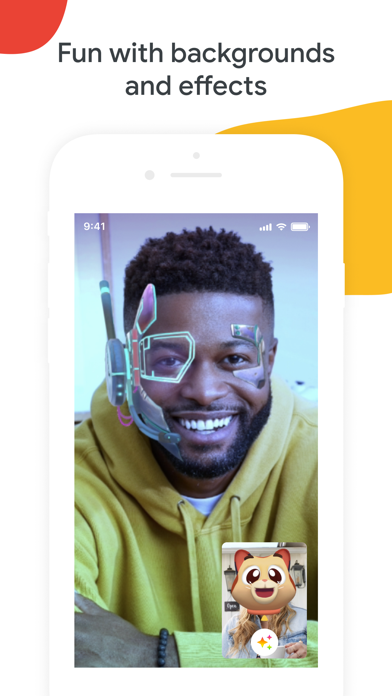
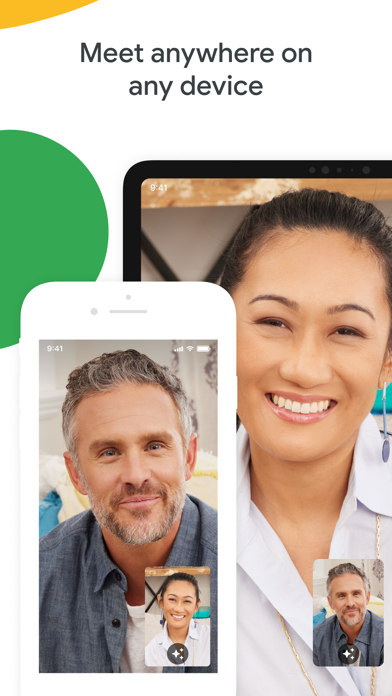
Google Meet is a professional video communication software designed to facilitate high-quality virtual meetings for businesses, educators, and individual users. This platform solves the problem of remote collaboration by providing a secure and stable environment for face-to-face interaction, regardless of physical location. Whether hosting a small team check-in or a large-scale webinar, the tool ensures that communication remains fluid and accessible through a standard web browser or mobile application.
Key Features
- High-Definition Video and Audio: Delivers clear visual and sound quality to ensure professional communication standards.
- Screen Sharing: Allows presenters to share their entire screen or specific windows to demonstrate software or present documents.
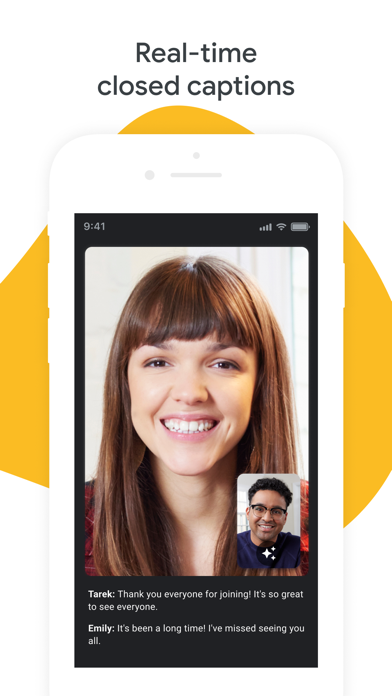
- Real-Time Captions: Utilizes automated speech-to-text technology to provide live subtitles during active conversations.
- Encryption and Security: Features robust security protocols, including anti-abuse measures and data encryption in transit.
- Calendar Integration: Syncs directly with scheduling tools to allow users to join meetings with a single click.
Use Cases
- Remote Project Management: Teams can conduct daily stand-ups and share progress updates using the screen-sharing tool.
- Virtual Classrooms: Educators use the platform to deliver lectures and interact with students in a digital learning environment.
- External Client Consultations: Professionals can host secure meetings with external partners without requiring complex software installations.
- Large-Scale Broadcasts: Organizations can stream events to many participants while maintaining control over meeting permissions.
Why Choose Google Meet
Selecting this platform provides the benefit of a highly reliable infrastructure that integrates seamlessly with other productivity tools. The software focuses on ease of use and accessibility, making it an efficient choice for organizations that prioritize security and straightforward navigation in their communication stack.
Pros and Cons
Pros
- No software installation required for desktop participants.
- Strong integration with productivity ecosystems.
- High stability even on lower bandwidth connections.
Cons
- Requires a stable internet connection for optimal video quality.
- Advanced administrative controls are limited to specific account types.
Final Verdict
Google Meet is a dependable and efficient solution for anyone requiring a professional-grade video conferencing tool. It balances simplicity with powerful security features, making it a top-tier choice for modern remote collaboration.
Ratings & Reviews
Please log in to write a review.
No reviews yet. Be the first to rate!