'%3e%3cpath%20fill='%230CCF60'%20d='M158.25%20175.542c0-29.271%2023.729-53%2053-53h131.375c29.271%200%2053%2023.729%2053%2053v131.023c0%2029.271-23.729%2053-53%2053H211.25c-29.271%200-53-23.729-53-53V175.542Z'/%3e%3cpath%20fill='%23D2DE75'%20d='M158.25%20452.518c0-29.271%2023.729-53%2053-53h131.375c29.271%200%2053%2023.729%2053%2053v131.024c0%2029.271-23.729%2053-53%2053H211.25c-29.271%200-53-23.729-53-53V452.518Z'/%3e%3cpath%20fill='%2315B66A'%20d='M434.875%20175.542c0-29.271%2023.729-53%2053-53H619.25c29.271%200%2053%2023.729%2053%2053v131.023c0%2029.271-23.729%2053-53%2053H487.875c-29.271%200-53-23.729-53-53V175.542Z'/%3e%3cpath%20fill='%23E7A95D'%20d='M434.875%20452.518c0-29.271%2023.729-53%2053-53H619.25c29.271%200%2053%2023.729%2053%2053v131.024c0%2029.271-23.729%2053-53%2053H487.875c-29.271%200-53-23.729-53-53V452.518Z'/%3e%3cpath%20fill='url(%23b)'%20d='M728.088%20123.584C586.142%2039.806%209.186-194.997%204.001%20342.299c-.08%208.242%206.658%2015.349%2014.9%2015.322l81.72-.262c8.736-.028%2015.536-8.148%2015.058-16.87-31.398-572.572%20754.324-133.144%20612.409-216.905Z'/%3e%3c/g%3e%3cdefs%3e%3clinearGradient%20id='b'%20x1='34.575'%20x2='673.419'%20y1='229.473'%20y2='-93.138'%20gradientUnits='userSpaceOnUse'%3e%3cstop%20stop-color='%2328E77B'/%3e%3cstop%20offset='1'%20stop-color='%2315B66A'/%3e%3c/linearGradient%3e%3cfilter%20id='a'%20width='749.251'%20height='644.542'%20x='0'%20y='0'%20color-interpolation-filters='sRGB'%20filterUnits='userSpaceOnUse'%3e%3cfeFlood%20flood-opacity='0'%20result='BackgroundImageFix'/%3e%3cfeColorMatrix%20in='SourceAlpha'%20result='hardAlpha'%20values='0%200%200%200%200%200%200%200%200%200%200%200%200%200%200%200%200%200%20127%200'/%3e%3cfeOffset%20dy='4'/%3e%3cfeGaussianBlur%20stdDeviation='2'/%3e%3cfeComposite%20in2='hardAlpha'%20operator='out'/%3e%3cfeColorMatrix%20values='0%200%200%200%200%200%200%200%200%200%200%200%200%200%200%200%200%200%200.25%200'/%3e%3cfeBlend%20in2='BackgroundImageFix'%20result='effect1_dropShadow_23_251'/%3e%3cfeBlend%20in='SourceGraphic'%20in2='effect1_dropShadow_23_251'%20result='shape'/%3e%3c/filter%3e%3c/defs%3e%3c/svg%3e)

About Google Sheets
Learn more about this application's features and capabilities.
Google Sheets is a cloud-based spreadsheet software designed for individuals and teams who need to organize, analyze, and collaborate on data in real time. This platform solves the challenge of version control and physical storage by allowing multiple users to edit a single document simultaneously from any device. Whether for personal budgeting or complex business reporting, the tool provides a flexible environment for data management without the need for manual saving.
Key Features
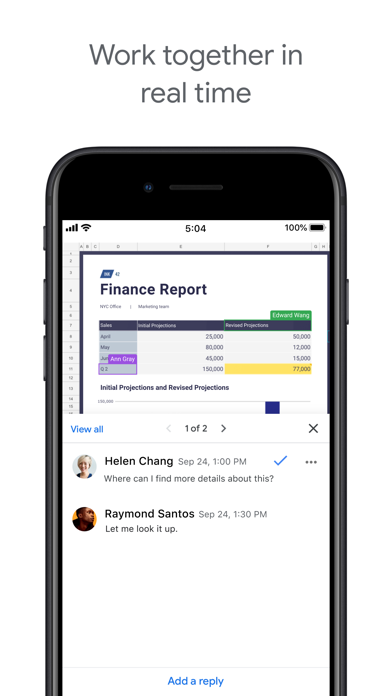
- Real-Time Collaboration: Multiple users can edit the same document at once with a built-in chat and commenting system.
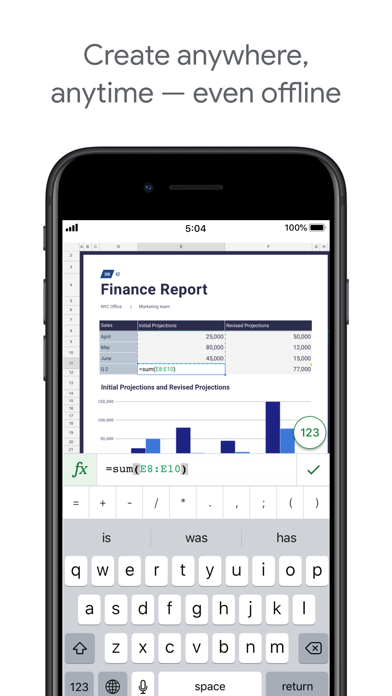
- Offline Access: Enable offline mode to create and modify spreadsheets without an active internet connection.
- Smart Functions: Access a wide range of formulas, pivot tables, and conditional formatting options for deep data analysis.
- Automatic Syncing: Every change is saved automatically to the cloud and tracked via a detailed version history.
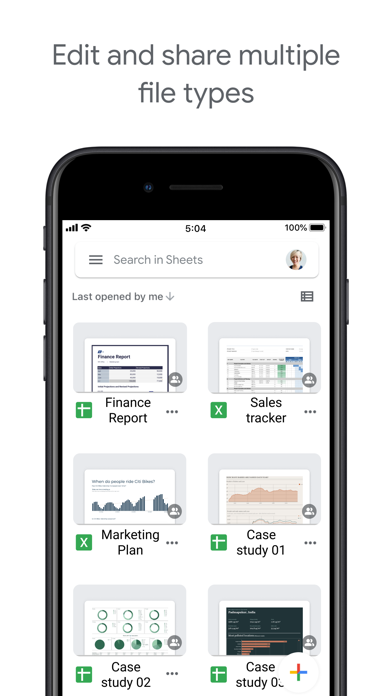
- Seamless Integration: Connects natively with other Google Workspace tools and supports importing or exporting Excel files.
Use Cases
- Project Tracking: Manage task lists, deadlines, and project milestones using shared checklists and automated Gantt charts.
- Financial Planning: Create personal or business budgets by utilizing pre-built templates and mathematical formulas.
- Inventory Management: Maintain live records of stock levels that can be updated by team members from various locations.
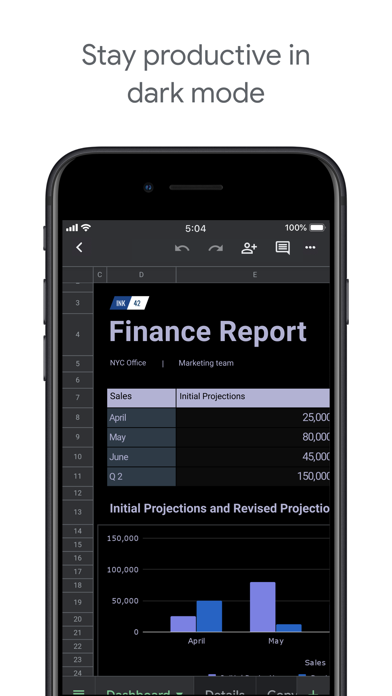
- Data Visualization: Convert raw datasets into professional bar charts, pie graphs, and sparklines for presentations.
Why Choose Google Sheets
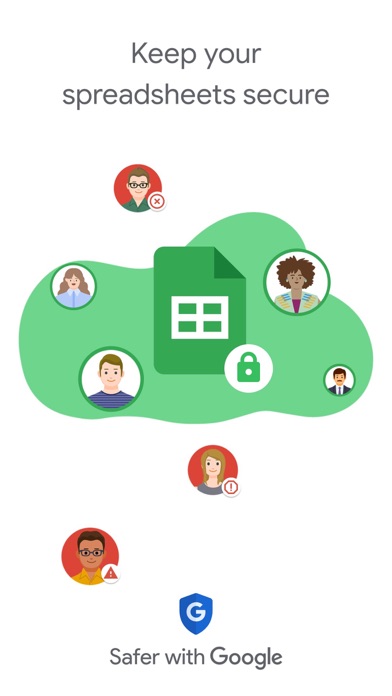
Choosing this software allows users to leverage a powerful data-processing tool that is accessible from any web browser or mobile device. The primary benefit of the platform is its ability to bridge the gap between complex calculation and user-friendly accessibility, ensuring that data remains secure yet easily sharable across an entire organization.
Pros and Cons
Pros
- Completely free for personal use with a Google account.
- High accessibility across iOS, Android, and web platforms.
- Extensive library of add-ons and script customization.
Cons
- Performance may slow down with exceptionally large datasets.
- Fewer advanced formatting features compared to some desktop-only software.
Final Verdict
Google Sheets is an essential productivity tool for anyone requiring a collaborative and reliable spreadsheet solution. It balances ease of use with powerful analytical features, making it a top choice for both casual and professional data management.
Ratings & Reviews
Please log in to write a review.
No reviews yet. Be the first to rate!