'%3e%3cpath%20fill='%230CCF60'%20d='M158.25%20175.542c0-29.271%2023.729-53%2053-53h131.375c29.271%200%2053%2023.729%2053%2053v131.023c0%2029.271-23.729%2053-53%2053H211.25c-29.271%200-53-23.729-53-53V175.542Z'/%3e%3cpath%20fill='%23D2DE75'%20d='M158.25%20452.518c0-29.271%2023.729-53%2053-53h131.375c29.271%200%2053%2023.729%2053%2053v131.024c0%2029.271-23.729%2053-53%2053H211.25c-29.271%200-53-23.729-53-53V452.518Z'/%3e%3cpath%20fill='%2315B66A'%20d='M434.875%20175.542c0-29.271%2023.729-53%2053-53H619.25c29.271%200%2053%2023.729%2053%2053v131.023c0%2029.271-23.729%2053-53%2053H487.875c-29.271%200-53-23.729-53-53V175.542Z'/%3e%3cpath%20fill='%23E7A95D'%20d='M434.875%20452.518c0-29.271%2023.729-53%2053-53H619.25c29.271%200%2053%2023.729%2053%2053v131.024c0%2029.271-23.729%2053-53%2053H487.875c-29.271%200-53-23.729-53-53V452.518Z'/%3e%3cpath%20fill='url(%23b)'%20d='M728.088%20123.584C586.142%2039.806%209.186-194.997%204.001%20342.299c-.08%208.242%206.658%2015.349%2014.9%2015.322l81.72-.262c8.736-.028%2015.536-8.148%2015.058-16.87-31.398-572.572%20754.324-133.144%20612.409-216.905Z'/%3e%3c/g%3e%3cdefs%3e%3clinearGradient%20id='b'%20x1='34.575'%20x2='673.419'%20y1='229.473'%20y2='-93.138'%20gradientUnits='userSpaceOnUse'%3e%3cstop%20stop-color='%2328E77B'/%3e%3cstop%20offset='1'%20stop-color='%2315B66A'/%3e%3c/linearGradient%3e%3cfilter%20id='a'%20width='749.251'%20height='644.542'%20x='0'%20y='0'%20color-interpolation-filters='sRGB'%20filterUnits='userSpaceOnUse'%3e%3cfeFlood%20flood-opacity='0'%20result='BackgroundImageFix'/%3e%3cfeColorMatrix%20in='SourceAlpha'%20result='hardAlpha'%20values='0%200%200%200%200%200%200%200%200%200%200%200%200%200%200%200%200%200%20127%200'/%3e%3cfeOffset%20dy='4'/%3e%3cfeGaussianBlur%20stdDeviation='2'/%3e%3cfeComposite%20in2='hardAlpha'%20operator='out'/%3e%3cfeColorMatrix%20values='0%200%200%200%200%200%200%200%200%200%200%200%200%200%200%200%200%200%200.25%200'/%3e%3cfeBlend%20in2='BackgroundImageFix'%20result='effect1_dropShadow_23_251'/%3e%3cfeBlend%20in='SourceGraphic'%20in2='effect1_dropShadow_23_251'%20result='shape'/%3e%3c/filter%3e%3c/defs%3e%3c/svg%3e)



About InShot - AI Video Editor
Learn more about this application's features and capabilities.
InShot is a comprehensive mobile video editing software designed for content creators, social media managers, and casual users who need to produce high-quality visual content on the go. The platform solves the complexity of traditional desktop editing by providing an intuitive interface that streamlines the process of cutting, merging, and enhancing footage. It is specifically built for those who require professional-grade results without a steep learning curve, making it a vital tool for digital storytelling.
Key Features
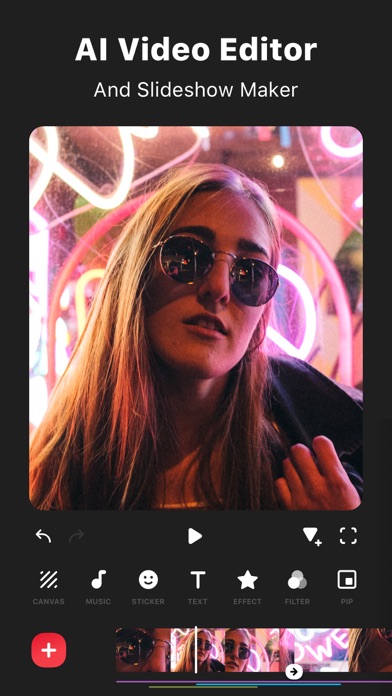
- Precision Trimming: Cut, split, and merge video clips with frame-by-frame accuracy for seamless transitions.
- AI-Powered Tools: Utilize smart features for automatic background removal and object tracking within your projects.
- Audio Integration: Add music, voiceovers, and sound effects from a built-in library or import your own files.
- Visual Enhancements: Apply cinematic filters, color adjustments, and glitch effects to improve production value.
- Format Optimization: Export videos in various aspect ratios tailored for platforms like Instagram, TikTok, and YouTube.
Use Cases
- Social Media Marketing: Create engaging short-form promotional videos with text overlays and animations.
- Vlogging: Edit travel or lifestyle vlogs directly from a smartphone to share immediate updates with followers.
- Educational Content: Produce clear tutorials by combining screen recordings with instructional captions and voiceovers.
- Memory Preservation: Compile photos and video clips into polished slideshows for personal or family milestones.
Why Choose InShot
This editing platform offers a unique balance between simplicity and powerful functionality. The software provides the essential benefits of a professional suite within a mobile environment, allowing users to execute complex edits efficiently. By choosing this tool, creators gain access to a reliable ecosystem that stays updated with current social media trends and technical requirements.
Pros and Cons
Pros
- Extremely user-friendly interface suitable for beginners.
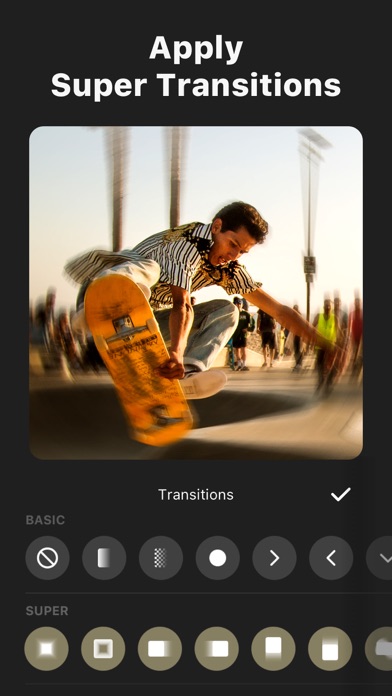
- Extensive library of royalty-free music and transitions.
- Supports high-resolution 4K video exports.
Cons
- Advanced layer management can be limited compared to desktop versions.
- High-intensity processing may drain mobile battery quickly.
Final Verdict
InShot stands out as a versatile and efficient mobile editor that bridges the gap between amateur and professional content creation. It is a highly recommended tool for anyone looking to produce polished, platform-ready videos with minimal effort.
Ratings & Reviews
Please log in to write a review.
No reviews yet. Be the first to rate!