'%3e%3cpath%20fill='%230CCF60'%20d='M158.25%20175.542c0-29.271%2023.729-53%2053-53h131.375c29.271%200%2053%2023.729%2053%2053v131.023c0%2029.271-23.729%2053-53%2053H211.25c-29.271%200-53-23.729-53-53V175.542Z'/%3e%3cpath%20fill='%23D2DE75'%20d='M158.25%20452.518c0-29.271%2023.729-53%2053-53h131.375c29.271%200%2053%2023.729%2053%2053v131.024c0%2029.271-23.729%2053-53%2053H211.25c-29.271%200-53-23.729-53-53V452.518Z'/%3e%3cpath%20fill='%2315B66A'%20d='M434.875%20175.542c0-29.271%2023.729-53%2053-53H619.25c29.271%200%2053%2023.729%2053%2053v131.023c0%2029.271-23.729%2053-53%2053H487.875c-29.271%200-53-23.729-53-53V175.542Z'/%3e%3cpath%20fill='%23E7A95D'%20d='M434.875%20452.518c0-29.271%2023.729-53%2053-53H619.25c29.271%200%2053%2023.729%2053%2053v131.024c0%2029.271-23.729%2053-53%2053H487.875c-29.271%200-53-23.729-53-53V452.518Z'/%3e%3cpath%20fill='url(%23b)'%20d='M728.088%20123.584C586.142%2039.806%209.186-194.997%204.001%20342.299c-.08%208.242%206.658%2015.349%2014.9%2015.322l81.72-.262c8.736-.028%2015.536-8.148%2015.058-16.87-31.398-572.572%20754.324-133.144%20612.409-216.905Z'/%3e%3c/g%3e%3cdefs%3e%3clinearGradient%20id='b'%20x1='34.575'%20x2='673.419'%20y1='229.473'%20y2='-93.138'%20gradientUnits='userSpaceOnUse'%3e%3cstop%20stop-color='%2328E77B'/%3e%3cstop%20offset='1'%20stop-color='%2315B66A'/%3e%3c/linearGradient%3e%3cfilter%20id='a'%20width='749.251'%20height='644.542'%20x='0'%20y='0'%20color-interpolation-filters='sRGB'%20filterUnits='userSpaceOnUse'%3e%3cfeFlood%20flood-opacity='0'%20result='BackgroundImageFix'/%3e%3cfeColorMatrix%20in='SourceAlpha'%20result='hardAlpha'%20values='0%200%200%200%200%200%200%200%200%200%200%200%200%200%200%200%200%200%20127%200'/%3e%3cfeOffset%20dy='4'/%3e%3cfeGaussianBlur%20stdDeviation='2'/%3e%3cfeComposite%20in2='hardAlpha'%20operator='out'/%3e%3cfeColorMatrix%20values='0%200%200%200%200%200%200%200%200%200%200%200%200%200%200%200%200%200%200.25%200'/%3e%3cfeBlend%20in2='BackgroundImageFix'%20result='effect1_dropShadow_23_251'/%3e%3cfeBlend%20in='SourceGraphic'%20in2='effect1_dropShadow_23_251'%20result='shape'/%3e%3c/filter%3e%3c/defs%3e%3c/svg%3e)




About Layout - Photo Collage Maker
Learn more about this application's features and capabilities.
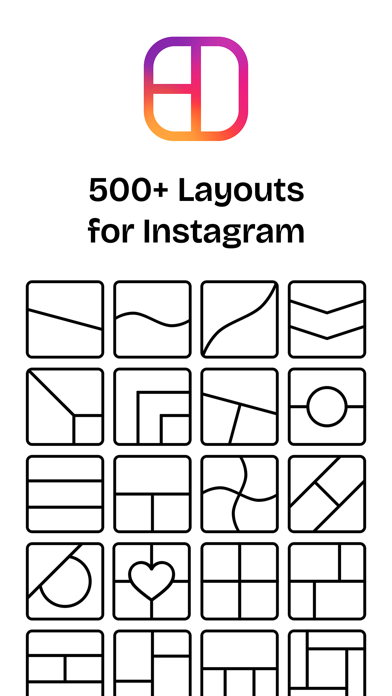
Layout: Photo Collage Maker is a versatile photo editing software designed for mobile users who want to transform their static images into professional-looking grids and layouts. This tool solves the problem of cluttered photo galleries and the difficulty of sharing multiple memories in a single post. It serves social media enthusiasts, small business owners, and casual photographers who need a quick, reliable platform to arrange images with precision and creative flair.
Key Features
- Dynamic Grid Templates: Access a wide variety of predefined frames and custom grid ratios for any social media platform.
- Advanced Border Control: Adjust thickness, color, and corner roundness to create a distinct visual style for every collage.
- Integrated Photo Editor: Apply filters, adjust brightness, and fine-tune individual images within the layout.
- Free-Form Layouts: Move and resize photos manually to create unique, non-linear compositions.
- High-Resolution Export: Save finished projects in high quality to ensure clarity when sharing across digital platforms.
Use Cases
- Social Media Marketing: Create eye-catching product showcases for business pages or Instagram stories.
- Event Summaries: Consolidate multiple photos from weddings, birthdays, or vacations into a single, cohesive image.
- Comparison Visuals: Use side-by-side templates for "before and after" transformations or product comparisons.
- Digital Scrapbooking: Design personalized memory boards to share with friends and family via messaging apps.
Why Choose Layout: Photo Collage Maker
This platform stands out by balancing simplicity with deep customization. Unlike basic editing tools, this software provides a streamlined workflow that allows users to produce aesthetic content in seconds. Its focus on intuitive navigation and functional benefits makes it a practical choice for anyone looking to improve their visual storytelling.
Pros and Cons
Pros
- User-friendly interface suitable for beginners.
- Diverse range of adjustable borders and frames.
- Fast processing and seamless export options.
Cons
- Advanced creative assets may require a subscription.
- Limited text overlay options compared to full-scale graphic design suites.
Final Verdict
Layout: Photo Collage Maker is an efficient and effective tool for generating high-quality photo compositions on the go. While it focuses primarily on grid-based editing, its reliability and ease of use make it a valuable asset for quick content creation.
Ratings & Reviews
Please log in to write a review.
No reviews yet. Be the first to rate!