'%3e%3cpath%20fill='%230CCF60'%20d='M158.25%20175.542c0-29.271%2023.729-53%2053-53h131.375c29.271%200%2053%2023.729%2053%2053v131.023c0%2029.271-23.729%2053-53%2053H211.25c-29.271%200-53-23.729-53-53V175.542Z'/%3e%3cpath%20fill='%23D2DE75'%20d='M158.25%20452.518c0-29.271%2023.729-53%2053-53h131.375c29.271%200%2053%2023.729%2053%2053v131.024c0%2029.271-23.729%2053-53%2053H211.25c-29.271%200-53-23.729-53-53V452.518Z'/%3e%3cpath%20fill='%2315B66A'%20d='M434.875%20175.542c0-29.271%2023.729-53%2053-53H619.25c29.271%200%2053%2023.729%2053%2053v131.023c0%2029.271-23.729%2053-53%2053H487.875c-29.271%200-53-23.729-53-53V175.542Z'/%3e%3cpath%20fill='%23E7A95D'%20d='M434.875%20452.518c0-29.271%2023.729-53%2053-53H619.25c29.271%200%2053%2023.729%2053%2053v131.024c0%2029.271-23.729%2053-53%2053H487.875c-29.271%200-53-23.729-53-53V452.518Z'/%3e%3cpath%20fill='url(%23b)'%20d='M728.088%20123.584C586.142%2039.806%209.186-194.997%204.001%20342.299c-.08%208.242%206.658%2015.349%2014.9%2015.322l81.72-.262c8.736-.028%2015.536-8.148%2015.058-16.87-31.398-572.572%20754.324-133.144%20612.409-216.905Z'/%3e%3c/g%3e%3cdefs%3e%3clinearGradient%20id='b'%20x1='34.575'%20x2='673.419'%20y1='229.473'%20y2='-93.138'%20gradientUnits='userSpaceOnUse'%3e%3cstop%20stop-color='%2328E77B'/%3e%3cstop%20offset='1'%20stop-color='%2315B66A'/%3e%3c/linearGradient%3e%3cfilter%20id='a'%20width='749.251'%20height='644.542'%20x='0'%20y='0'%20color-interpolation-filters='sRGB'%20filterUnits='userSpaceOnUse'%3e%3cfeFlood%20flood-opacity='0'%20result='BackgroundImageFix'/%3e%3cfeColorMatrix%20in='SourceAlpha'%20result='hardAlpha'%20values='0%200%200%200%200%200%200%200%200%200%200%200%200%200%200%200%200%200%20127%200'/%3e%3cfeOffset%20dy='4'/%3e%3cfeGaussianBlur%20stdDeviation='2'/%3e%3cfeComposite%20in2='hardAlpha'%20operator='out'/%3e%3cfeColorMatrix%20values='0%200%200%200%200%200%200%200%200%200%200%200%200%200%200%200%200%200%200.25%200'/%3e%3cfeBlend%20in2='BackgroundImageFix'%20result='effect1_dropShadow_23_251'/%3e%3cfeBlend%20in='SourceGraphic'%20in2='effect1_dropShadow_23_251'%20result='shape'/%3e%3c/filter%3e%3c/defs%3e%3c/svg%3e)

About Microsoft Lens: PDF Scanner
Learn more about this application's features and capabilities.
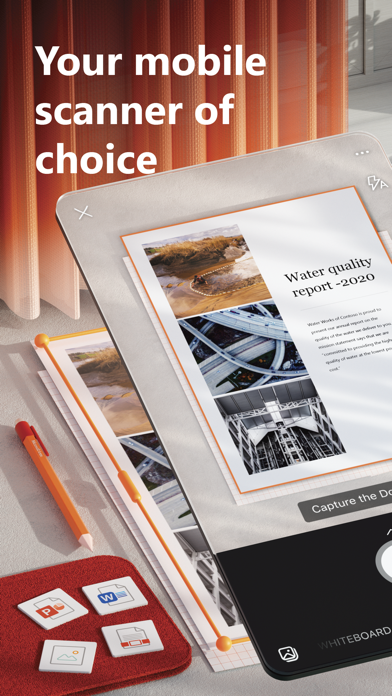
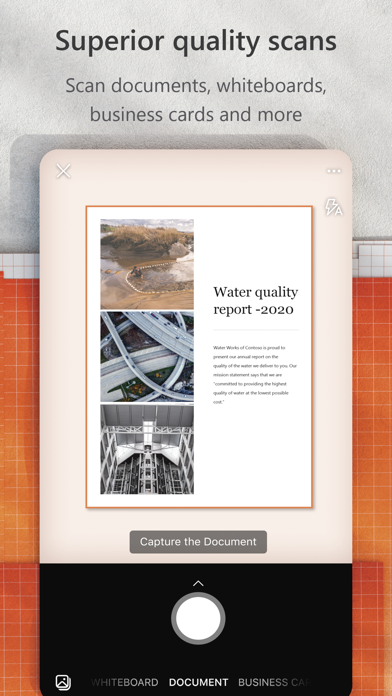
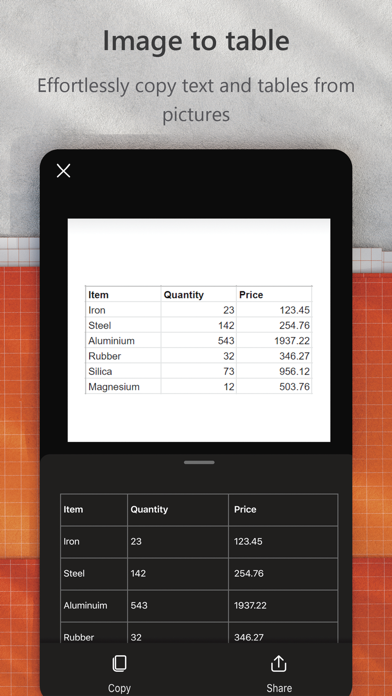
Microsoft Lens is a powerful mobile scanning tool designed to digitize information from documents, whiteboards, and business cards. This software serves professionals, students, and educators by converting physical text into editable digital formats. It solves the common problem of manual data entry and poorly captured photographs by using advanced image processing to straighten, sharpen, and enhance captured images.
Key Features
- Intelligent Document Recognition: Automatically detects the edges of paper and crops the image to remove background clutter.
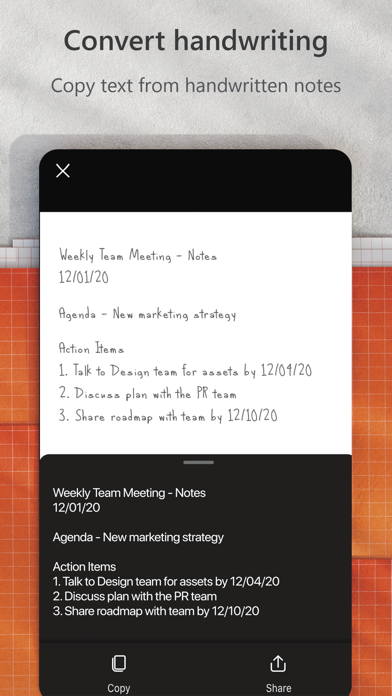
- OCR Technology: Converts printed or handwritten text into digital text that can be searched or edited within other applications.
- Whiteboard Enhancement: Cleans up glare and shadows from whiteboards to make handwritten notes more legible.
- Versatile Export Options: Save scans directly as PDF, Word, or PowerPoint files, or sync them to cloud storage services.
- Business Card Integration: Extracts contact information from cards and saves it directly to your digital address book.
Use Cases
- Note Digitization: Students can scan handwritten classroom notes or whiteboard diagrams to keep organized digital study guides.
- Expense Tracking: Professionals can capture receipts and invoices on the go for quick inclusion in expense reports.
- Document Archiving: Home users can digitize important physical records like IDs and certificates for secure cloud backup.
- Contact Networking: Quickly scan business cards at conferences to avoid losing physical copies and manually typing details.
Why Choose Microsoft Lens
The primary benefit of choosing Microsoft Lens over standard camera apps is its deep integration with the broader productivity ecosystem. This platform is not just a scanner; it is a gateway to paperless workflows. By leveraging high-quality image enhancement and accurate character recognition, it ensures that your digital copies are as functional as the original physical documents.
Pros and Cons
Pros
- Exceptional image cleaning that improves readability of skewed or shadowed documents.
- Seamless synchronization with popular productivity suites for immediate editing.
- Completely free functionality without intrusive watermarks on exported files.
Cons
- Requires an account login to unlock the full potential of cloud synchronization.
- OCR accuracy can vary slightly with complex or artistic handwriting styles.
Final Verdict
Microsoft Lens is an essential utility for anyone looking to bridge the gap between physical paper and digital workspaces. It provides a reliable, high-quality scanning experience that simplifies document management for both personal and professional use.
Ratings & Reviews
Please log in to write a review.
No reviews yet. Be the first to rate!