'%3e%3cpath%20fill='%230CCF60'%20d='M158.25%20175.542c0-29.271%2023.729-53%2053-53h131.375c29.271%200%2053%2023.729%2053%2053v131.023c0%2029.271-23.729%2053-53%2053H211.25c-29.271%200-53-23.729-53-53V175.542Z'/%3e%3cpath%20fill='%23D2DE75'%20d='M158.25%20452.518c0-29.271%2023.729-53%2053-53h131.375c29.271%200%2053%2023.729%2053%2053v131.024c0%2029.271-23.729%2053-53%2053H211.25c-29.271%200-53-23.729-53-53V452.518Z'/%3e%3cpath%20fill='%2315B66A'%20d='M434.875%20175.542c0-29.271%2023.729-53%2053-53H619.25c29.271%200%2053%2023.729%2053%2053v131.023c0%2029.271-23.729%2053-53%2053H487.875c-29.271%200-53-23.729-53-53V175.542Z'/%3e%3cpath%20fill='%23E7A95D'%20d='M434.875%20452.518c0-29.271%2023.729-53%2053-53H619.25c29.271%200%2053%2023.729%2053%2053v131.024c0%2029.271-23.729%2053-53%2053H487.875c-29.271%200-53-23.729-53-53V452.518Z'/%3e%3cpath%20fill='url(%23b)'%20d='M728.088%20123.584C586.142%2039.806%209.186-194.997%204.001%20342.299c-.08%208.242%206.658%2015.349%2014.9%2015.322l81.72-.262c8.736-.028%2015.536-8.148%2015.058-16.87-31.398-572.572%20754.324-133.144%20612.409-216.905Z'/%3e%3c/g%3e%3cdefs%3e%3clinearGradient%20id='b'%20x1='34.575'%20x2='673.419'%20y1='229.473'%20y2='-93.138'%20gradientUnits='userSpaceOnUse'%3e%3cstop%20stop-color='%2328E77B'/%3e%3cstop%20offset='1'%20stop-color='%2315B66A'/%3e%3c/linearGradient%3e%3cfilter%20id='a'%20width='749.251'%20height='644.542'%20x='0'%20y='0'%20color-interpolation-filters='sRGB'%20filterUnits='userSpaceOnUse'%3e%3cfeFlood%20flood-opacity='0'%20result='BackgroundImageFix'/%3e%3cfeColorMatrix%20in='SourceAlpha'%20result='hardAlpha'%20values='0%200%200%200%200%200%200%200%200%200%200%200%200%200%200%200%200%200%20127%200'/%3e%3cfeOffset%20dy='4'/%3e%3cfeGaussianBlur%20stdDeviation='2'/%3e%3cfeComposite%20in2='hardAlpha'%20operator='out'/%3e%3cfeColorMatrix%20values='0%200%200%200%200%200%200%200%200%200%200%200%200%200%200%200%200%200%200.25%200'/%3e%3cfeBlend%20in2='BackgroundImageFix'%20result='effect1_dropShadow_23_251'/%3e%3cfeBlend%20in='SourceGraphic'%20in2='effect1_dropShadow_23_251'%20result='shape'/%3e%3c/filter%3e%3c/defs%3e%3c/svg%3e)

About Microsoft OneNote
Learn more about this application's features and capabilities.
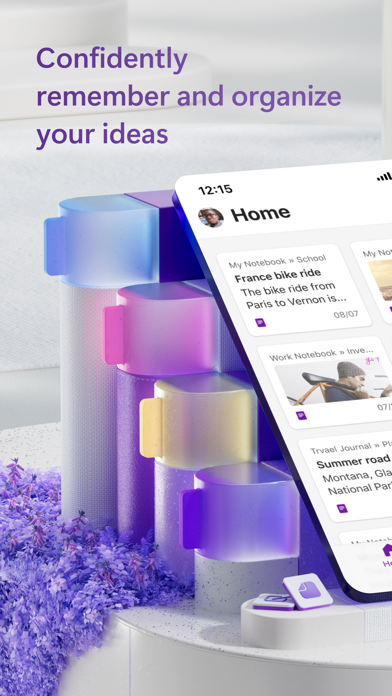
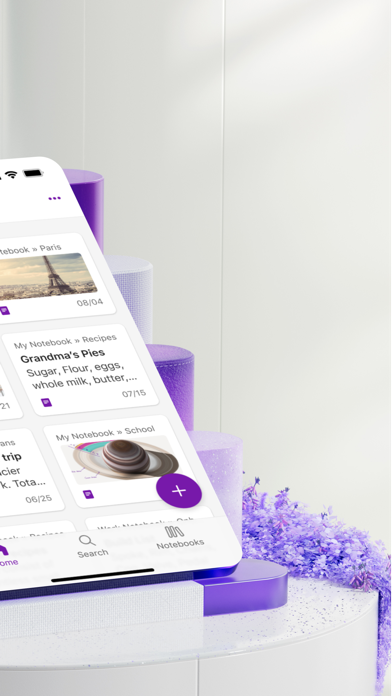
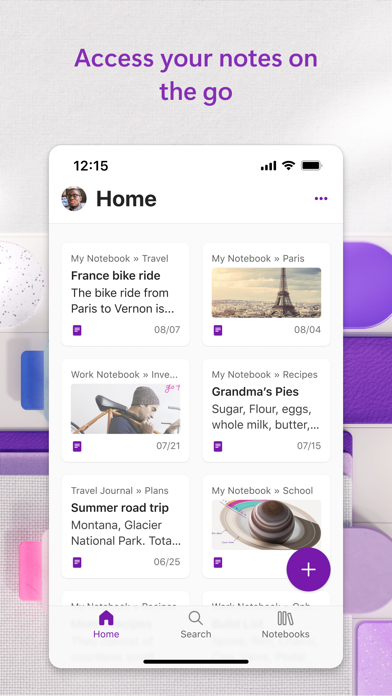
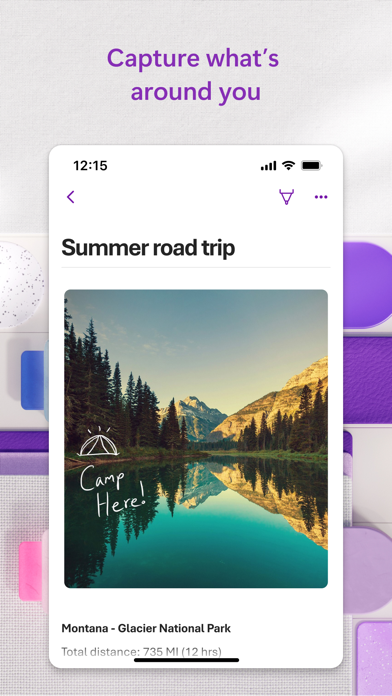
Microsoft OneNote is a versatile digital note-taking software designed to help users capture, organize, and share information across all their devices. It serves students, professionals, and creatives who struggle with scattered information and disorganized physical notes. By providing a flexible canvas that mimics a digital binder, the platform solves the problem of information overload, allowing users to consolidate text, images, and files in a single, searchable location.
Key Features
- Flexible Canvas: Type, write, or draw anywhere on the page without the constraints of a traditional document layout.
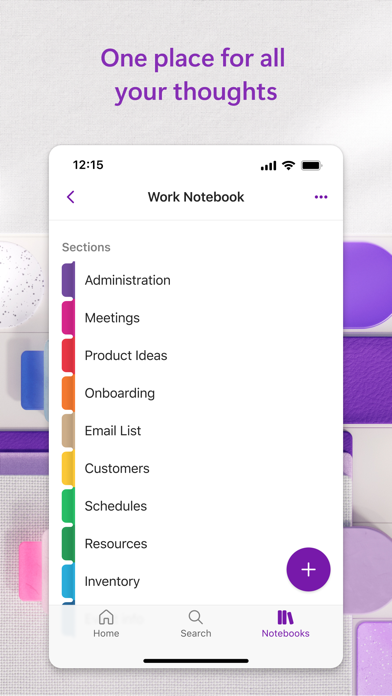
- Sectional Organization: Group notes into notebooks, sections, and pages to maintain a clear hierarchy of information.
- Cloud Synchronization: Access and edit your content in real-time across mobile, tablet, and desktop devices.
- Media Integration: Embed images, audio recordings, PDFs, and web clippings directly into your notes.
- Ink and Sketch: Use a stylus or finger to annotate documents and sketch diagrams naturally.
Use Cases
- Academic Research: Students can collect lecture notes, record audio, and clip web articles into a dedicated notebook for each subject.
- Project Management: Professionals can use the tool to track meeting minutes, action items, and project timelines within a shared workspace.
- Recipe Collection: Create a digital cookbook by clipping recipes from the web and organizing them by meal type or ingredients.
- Travel Planning: Store flight itineraries, hotel confirmations, and maps in a single location for offline access during trips.
Why Choose Microsoft OneNote
As a robust productivity tool, Microsoft OneNote excels in its ability to handle unstructured data. Unlike rigid word processors, this platform allows for free-form collaboration and creative brainstorming. Its deep integration with other productivity suites makes it an essential benefit for users who require a seamless workflow and reliable data backup.
Pros and Cons
Pros
- Free-form layout offers total creative control.
- Powerful search functionality finds text within images and handwritten notes.
- Seamless multi-user collaboration and syncing.
Cons
- The vast array of features may have a slight learning curve for new users.
- Large notebooks with high-resolution media can occasionally experience slow sync times.
Final Verdict
Microsoft OneNote is a comprehensive solution for anyone needing a reliable and flexible digital workspace. It balances advanced organizational features with a user-friendly interface, making it a top-tier choice for personal and professional documentation.
Ratings & Reviews
Please log in to write a review.
No reviews yet. Be the first to rate!