'%3e%3cpath%20fill='%230CCF60'%20d='M158.25%20175.542c0-29.271%2023.729-53%2053-53h131.375c29.271%200%2053%2023.729%2053%2053v131.023c0%2029.271-23.729%2053-53%2053H211.25c-29.271%200-53-23.729-53-53V175.542Z'/%3e%3cpath%20fill='%23D2DE75'%20d='M158.25%20452.518c0-29.271%2023.729-53%2053-53h131.375c29.271%200%2053%2023.729%2053%2053v131.024c0%2029.271-23.729%2053-53%2053H211.25c-29.271%200-53-23.729-53-53V452.518Z'/%3e%3cpath%20fill='%2315B66A'%20d='M434.875%20175.542c0-29.271%2023.729-53%2053-53H619.25c29.271%200%2053%2023.729%2053%2053v131.023c0%2029.271-23.729%2053-53%2053H487.875c-29.271%200-53-23.729-53-53V175.542Z'/%3e%3cpath%20fill='%23E7A95D'%20d='M434.875%20452.518c0-29.271%2023.729-53%2053-53H619.25c29.271%200%2053%2023.729%2053%2053v131.024c0%2029.271-23.729%2053-53%2053H487.875c-29.271%200-53-23.729-53-53V452.518Z'/%3e%3cpath%20fill='url(%23b)'%20d='M728.088%20123.584C586.142%2039.806%209.186-194.997%204.001%20342.299c-.08%208.242%206.658%2015.349%2014.9%2015.322l81.72-.262c8.736-.028%2015.536-8.148%2015.058-16.87-31.398-572.572%20754.324-133.144%20612.409-216.905Z'/%3e%3c/g%3e%3cdefs%3e%3clinearGradient%20id='b'%20x1='34.575'%20x2='673.419'%20y1='229.473'%20y2='-93.138'%20gradientUnits='userSpaceOnUse'%3e%3cstop%20stop-color='%2328E77B'/%3e%3cstop%20offset='1'%20stop-color='%2315B66A'/%3e%3c/linearGradient%3e%3cfilter%20id='a'%20width='749.251'%20height='644.542'%20x='0'%20y='0'%20color-interpolation-filters='sRGB'%20filterUnits='userSpaceOnUse'%3e%3cfeFlood%20flood-opacity='0'%20result='BackgroundImageFix'/%3e%3cfeColorMatrix%20in='SourceAlpha'%20result='hardAlpha'%20values='0%200%200%200%200%200%200%200%200%200%200%200%200%200%200%200%200%200%20127%200'/%3e%3cfeOffset%20dy='4'/%3e%3cfeGaussianBlur%20stdDeviation='2'/%3e%3cfeComposite%20in2='hardAlpha'%20operator='out'/%3e%3cfeColorMatrix%20values='0%200%200%200%200%200%200%200%200%200%200%200%200%200%200%200%200%200%200.25%200'/%3e%3cfeBlend%20in2='BackgroundImageFix'%20result='effect1_dropShadow_23_251'/%3e%3cfeBlend%20in='SourceGraphic'%20in2='effect1_dropShadow_23_251'%20result='shape'/%3e%3c/filter%3e%3c/defs%3e%3c/svg%3e)
About Notion Calendar
Learn more about this application's features and capabilities.
Notion Calendar is a unified scheduling tool designed to bridge the gap between your digital workspace and your daily agenda. It serves professionals, teams, and students who find traditional calendars too disconnected from their tasks and project documentation. By integrating directly with the Notion ecosystem, this software solves the problem of constant context switching, allowing users to manage timelines and appointments alongside their notes and databases.
Key Features
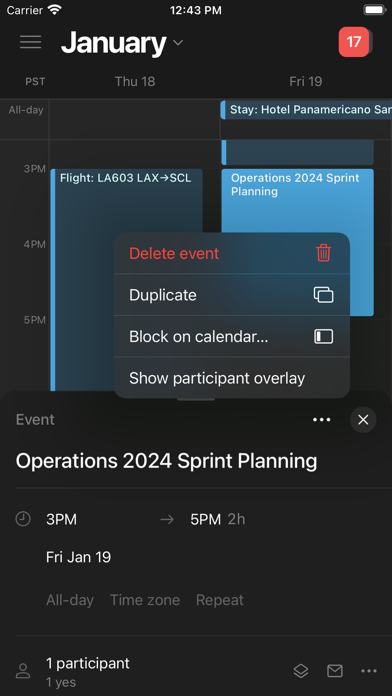
- Notion Integration: Directly attach Notion pages to calendar events for instant access to relevant documents and meeting notes.
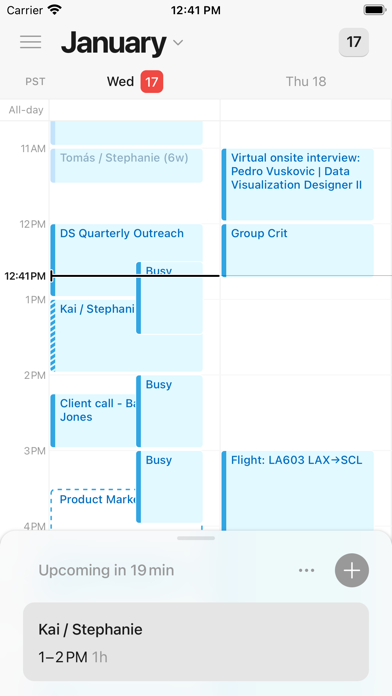
- Unified Views: Consolidate multiple Google Calendar accounts into a single, clean interface to manage work and personal life simultaneously.
- Built-in Scheduling: Share availability via customized booking links, eliminating the need for external third-party scheduling platforms.
- Menu Bar Access: A dedicated macOS menu bar component allows users to see upcoming meetings and join video calls with one click.
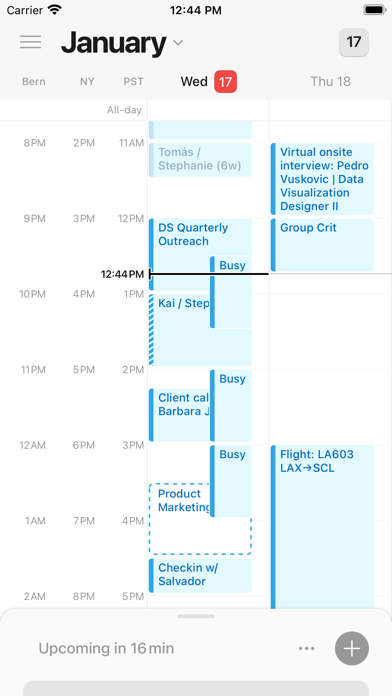
- Global Time Zone Support: Easily visualize and compare time zones by dragging the calendar, making it ideal for distributed international teams.
Use Cases
- Project Planning: Map out project deadlines by pulling database dates directly from Notion into your primary calendar view.
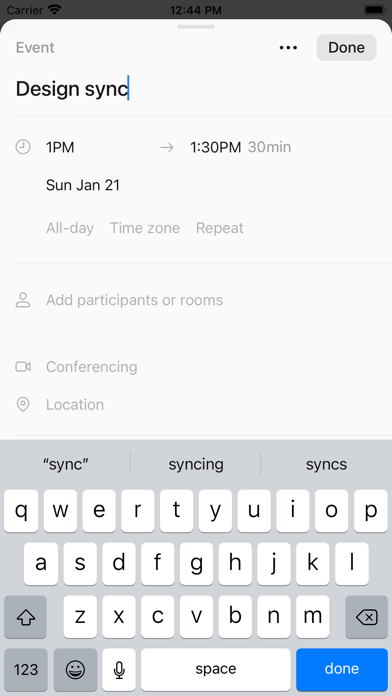
- Meeting Management: Prepare for syncs by linking the specific meeting agenda page to the calendar invite for all participants to see.
- Personal Organization: Layer personal commitments over professional blocks to ensure a balanced schedule without revealing private details to colleagues.
- Time Blocking: Allocate specific hours for deep work by dragging and dropping tasks from your workspace onto the timeline.
Why Choose Notion Calendar
This tool is the premier choice for users who already utilize Notion as their primary productivity platform. The main benefit is the seamless data flow; changes made in the calendar reflect in your workspace and vice versa. It removes the friction of manual data entry, providing a cohesive environment where your schedule and your work live together.
Pros and Cons
Pros
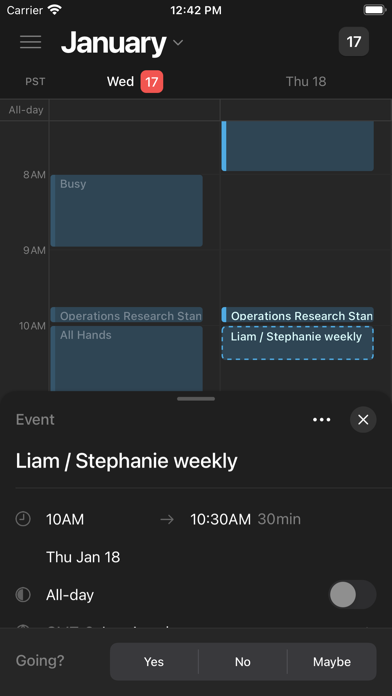
- Modern, minimalist interface that prioritizes speed and keyboard shortcuts.
- Deep synchronization with Notion databases and pages.
- Excellent handling of multiple time zones for remote work coordination.
Cons
- Requires an existing Google Calendar account for primary functionality.
- Mobile application depth is currently secondary to the desktop experience.
Final Verdict
Notion Calendar is a powerful extension of the modern workspace that transforms how users interact with their time. It provides a sophisticated, integrated experience that is essential for anyone looking to centralize their productivity and scheduling in one location.
Ratings & Reviews
Please log in to write a review.
No reviews yet. Be the first to rate!