'%3e%3cpath%20fill='%230CCF60'%20d='M158.25%20175.542c0-29.271%2023.729-53%2053-53h131.375c29.271%200%2053%2023.729%2053%2053v131.023c0%2029.271-23.729%2053-53%2053H211.25c-29.271%200-53-23.729-53-53V175.542Z'/%3e%3cpath%20fill='%23D2DE75'%20d='M158.25%20452.518c0-29.271%2023.729-53%2053-53h131.375c29.271%200%2053%2023.729%2053%2053v131.024c0%2029.271-23.729%2053-53%2053H211.25c-29.271%200-53-23.729-53-53V452.518Z'/%3e%3cpath%20fill='%2315B66A'%20d='M434.875%20175.542c0-29.271%2023.729-53%2053-53H619.25c29.271%200%2053%2023.729%2053%2053v131.023c0%2029.271-23.729%2053-53%2053H487.875c-29.271%200-53-23.729-53-53V175.542Z'/%3e%3cpath%20fill='%23E7A95D'%20d='M434.875%20452.518c0-29.271%2023.729-53%2053-53H619.25c29.271%200%2053%2023.729%2053%2053v131.024c0%2029.271-23.729%2053-53%2053H487.875c-29.271%200-53-23.729-53-53V452.518Z'/%3e%3cpath%20fill='url(%23b)'%20d='M728.088%20123.584C586.142%2039.806%209.186-194.997%204.001%20342.299c-.08%208.242%206.658%2015.349%2014.9%2015.322l81.72-.262c8.736-.028%2015.536-8.148%2015.058-16.87-31.398-572.572%20754.324-133.144%20612.409-216.905Z'/%3e%3c/g%3e%3cdefs%3e%3clinearGradient%20id='b'%20x1='34.575'%20x2='673.419'%20y1='229.473'%20y2='-93.138'%20gradientUnits='userSpaceOnUse'%3e%3cstop%20stop-color='%2328E77B'/%3e%3cstop%20offset='1'%20stop-color='%2315B66A'/%3e%3c/linearGradient%3e%3cfilter%20id='a'%20width='749.251'%20height='644.542'%20x='0'%20y='0'%20color-interpolation-filters='sRGB'%20filterUnits='userSpaceOnUse'%3e%3cfeFlood%20flood-opacity='0'%20result='BackgroundImageFix'/%3e%3cfeColorMatrix%20in='SourceAlpha'%20result='hardAlpha'%20values='0%200%200%200%200%200%200%200%200%200%200%200%200%200%200%200%200%200%20127%200'/%3e%3cfeOffset%20dy='4'/%3e%3cfeGaussianBlur%20stdDeviation='2'/%3e%3cfeComposite%20in2='hardAlpha'%20operator='out'/%3e%3cfeColorMatrix%20values='0%200%200%200%200%200%200%200%200%200%200%200%200%200%200%200%200%200%200.25%200'/%3e%3cfeBlend%20in2='BackgroundImageFix'%20result='effect1_dropShadow_23_251'/%3e%3cfeBlend%20in='SourceGraphic'%20in2='effect1_dropShadow_23_251'%20result='shape'/%3e%3c/filter%3e%3c/defs%3e%3c/svg%3e)



About Notion: notes, tasks, AI
Learn more about this application's features and capabilities.
Notion is an all-in-one workspace designed to centralize note-taking, project management, and collaborative documentation. It serves students, freelancers, and enterprise teams who struggle with fragmented data across multiple applications. By combining databases, rich-text editing, and AI-assisted drafting into a single platform, the software eliminates the need to switch between disparate tools for task tracking and knowledge management.
Key Features
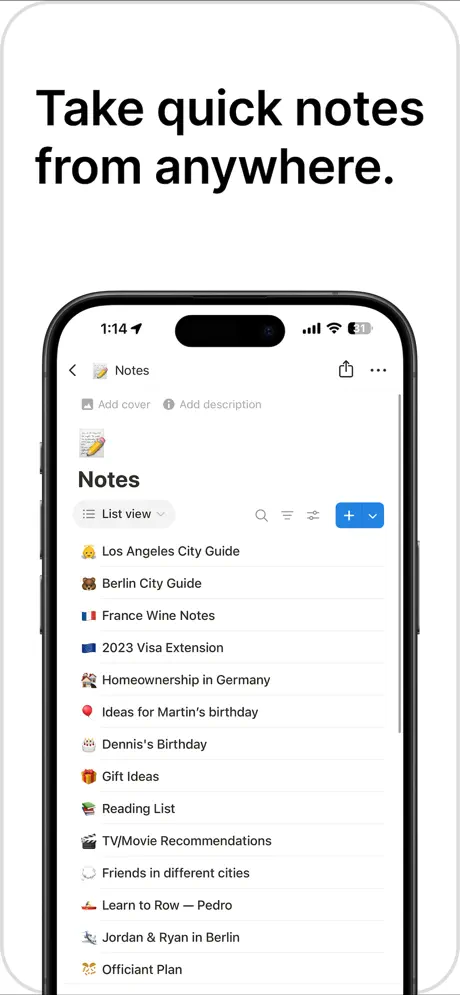
- Flexible Block-Based Editor: Construct pages using text, images, checklists, and embedded code snippets.
- Relational Databases: Organize information using tables, boards, calendars, or galleries that link to one another.
- AI Integration: Utilize machine learning to summarize long documents, brainstorm ideas, or fix grammar within the app.
- Cross-Platform Sync: Access and edit content in real-time across iOS, macOS, and web browsers.
- Customizable Templates: Deploy pre-built frameworks for everything from habit trackers to product roadmaps.
Use Cases
- Project Tracking: Manage complex workflows using Kanban boards to move tasks from ideation to completion.
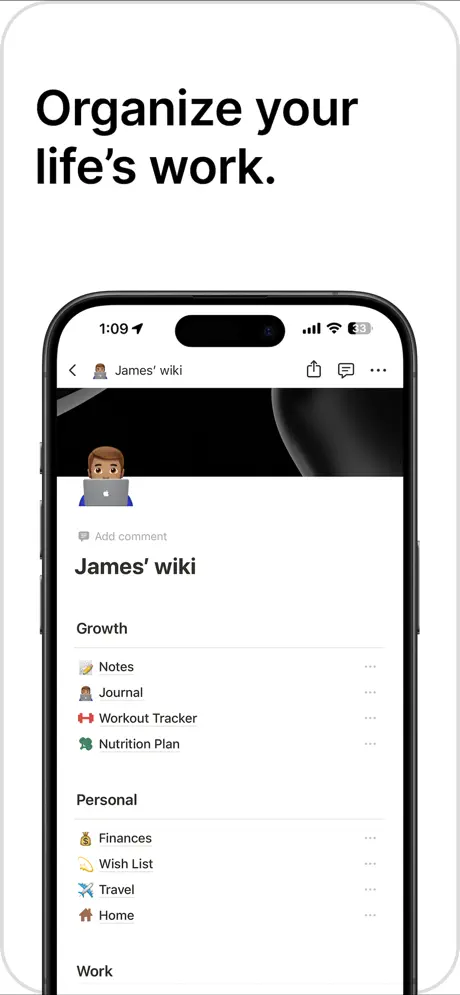
- Personal Wiki: Build a private knowledge base to store book summaries, travel itineraries, and research notes.
- Team Collaboration: Share specific pages with colleagues to co-edit meeting minutes and strategy documents.
- Academic Organization: Use the calendar view to track assignment deadlines and link them to course lecture notes.
Why Choose Notion
This tool stands out due to its extreme modularity, allowing users to build a custom productivity environment from scratch. Unlike rigid project management software, the platform adapts to your specific organizational style, making it a highly scalable solution for both personal growth and professional team coordination.
Pros and Cons
Pros
- Highly versatile interface that replaces multiple apps.
- Robust free tier for individual users and students.
- Offline editing capabilities with automatic syncing.
Cons
- Steeper learning curve compared to simple note-taking apps.
- Mobile navigation can feel complex for very large databases.
Final Verdict
Notion is a powerful, multi-functional workspace that excels at consolidating information and streamlining workflows. While the depth of features requires some initial setup time, its ability to unify notes and tasks makes it an invaluable asset for productivity.
Ratings & Reviews
Please log in to write a review.
No reviews yet. Be the first to rate!