'%3e%3cpath%20fill='%230CCF60'%20d='M158.25%20175.542c0-29.271%2023.729-53%2053-53h131.375c29.271%200%2053%2023.729%2053%2053v131.023c0%2029.271-23.729%2053-53%2053H211.25c-29.271%200-53-23.729-53-53V175.542Z'/%3e%3cpath%20fill='%23D2DE75'%20d='M158.25%20452.518c0-29.271%2023.729-53%2053-53h131.375c29.271%200%2053%2023.729%2053%2053v131.024c0%2029.271-23.729%2053-53%2053H211.25c-29.271%200-53-23.729-53-53V452.518Z'/%3e%3cpath%20fill='%2315B66A'%20d='M434.875%20175.542c0-29.271%2023.729-53%2053-53H619.25c29.271%200%2053%2023.729%2053%2053v131.023c0%2029.271-23.729%2053-53%2053H487.875c-29.271%200-53-23.729-53-53V175.542Z'/%3e%3cpath%20fill='%23E7A95D'%20d='M434.875%20452.518c0-29.271%2023.729-53%2053-53H619.25c29.271%200%2053%2023.729%2053%2053v131.024c0%2029.271-23.729%2053-53%2053H487.875c-29.271%200-53-23.729-53-53V452.518Z'/%3e%3cpath%20fill='url(%23b)'%20d='M728.088%20123.584C586.142%2039.806%209.186-194.997%204.001%20342.299c-.08%208.242%206.658%2015.349%2014.9%2015.322l81.72-.262c8.736-.028%2015.536-8.148%2015.058-16.87-31.398-572.572%20754.324-133.144%20612.409-216.905Z'/%3e%3c/g%3e%3cdefs%3e%3clinearGradient%20id='b'%20x1='34.575'%20x2='673.419'%20y1='229.473'%20y2='-93.138'%20gradientUnits='userSpaceOnUse'%3e%3cstop%20stop-color='%2328E77B'/%3e%3cstop%20offset='1'%20stop-color='%2315B66A'/%3e%3c/linearGradient%3e%3cfilter%20id='a'%20width='749.251'%20height='644.542'%20x='0'%20y='0'%20color-interpolation-filters='sRGB'%20filterUnits='userSpaceOnUse'%3e%3cfeFlood%20flood-opacity='0'%20result='BackgroundImageFix'/%3e%3cfeColorMatrix%20in='SourceAlpha'%20result='hardAlpha'%20values='0%200%200%200%200%200%200%200%200%200%200%200%200%200%200%200%200%200%20127%200'/%3e%3cfeOffset%20dy='4'/%3e%3cfeGaussianBlur%20stdDeviation='2'/%3e%3cfeComposite%20in2='hardAlpha'%20operator='out'/%3e%3cfeColorMatrix%20values='0%200%200%200%200%200%200%200%200%200%200%200%200%200%200%200%200%200%200.25%200'/%3e%3cfeBlend%20in2='BackgroundImageFix'%20result='effect1_dropShadow_23_251'/%3e%3cfeBlend%20in='SourceGraphic'%20in2='effect1_dropShadow_23_251'%20result='shape'/%3e%3c/filter%3e%3c/defs%3e%3c/svg%3e)

About Polarr Pro Photo Editor
Learn more about this application's features and capabilities.
Polarr is a sophisticated photo editing software designed for photographers and creators who need professional-grade tools on mobile and desktop platforms. It addresses the challenge of balancing complex editing capabilities with a streamlined, intuitive interface, making it ideal for those who find basic filters too limited but professional suites too cumbersome. By utilizing advanced AI and community-driven presets, this platform enables users to achieve high-end aesthetic results in seconds.
Key Features
- AI-Driven Segmentation: Automatically detect and isolate specific elements like skies, people, or backgrounds for targeted adjustments.
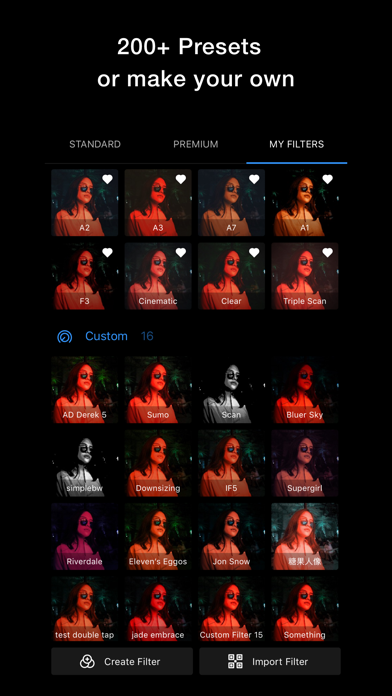
- Custom Filter Creation: Design unique aesthetic styles and share them via QR codes or short links with other creators.
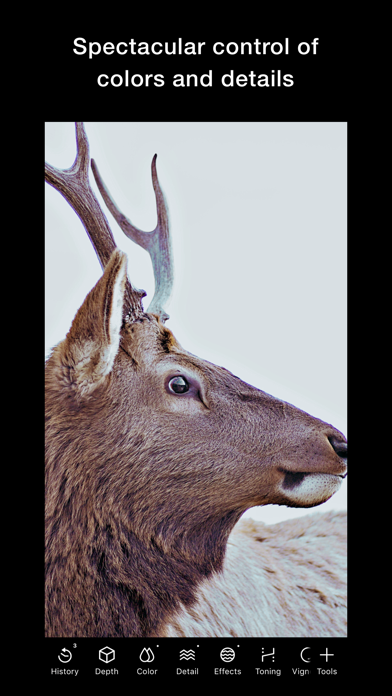
- Global and Selective Adjustments: Fine-tune exposure, color, and detail using brushes, gradients, and luminosity masks.
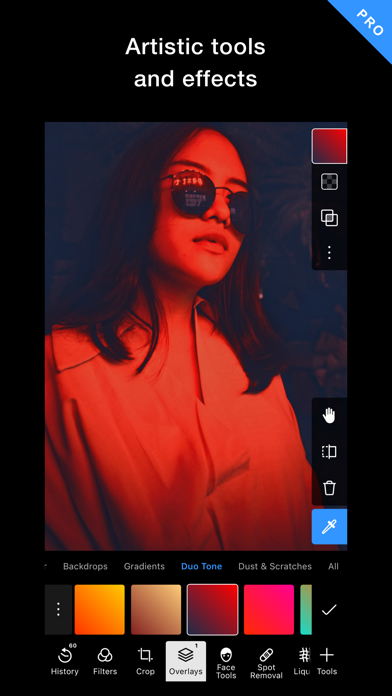
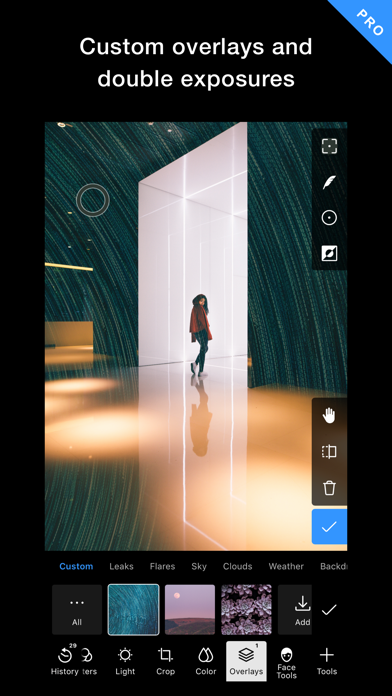
- Overlay and Texture Tools: Apply light leaks, grains, and custom textures to add depth and character to digital images.
- Batch Processing: Apply consistent styles and edits across multiple photos simultaneously to save time.
Use Cases
- Social Media Branding: Maintain a consistent visual identity by applying custom-made brand filters to all promotional content.
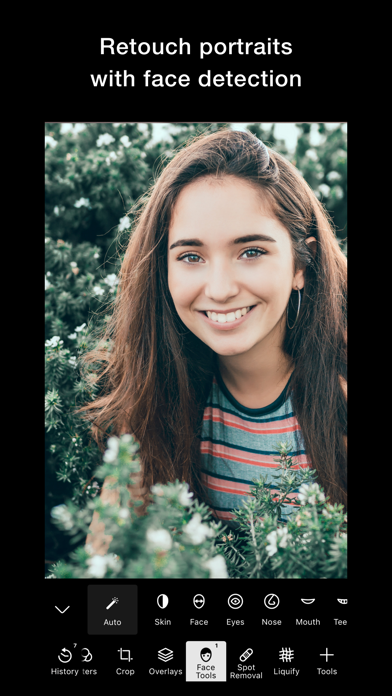
- Portrait Retouching: Utilize face-detection tools to enhance features and smooth skin textures naturally.
- Landscape Enhancement: Use the AI masking tool to correct lighting in the sky without affecting the foreground.
- On-the-Go Editing: Perform high-resolution edits on a smartphone that sync across different devices for a seamless workflow.
Why Choose Polarr
Polarr stands out as a versatile tool that bridges the gap between amateur editing and professional post-processing. Its primary benefit lies in its community-centric approach, allowing users to leverage an endless library of user-generated styles while maintaining full control over technical parameters.
Pros and Cons
Pros
- Lightweight and fast performance on mobile devices.
- Highly customizable interface layouts.
- Innovative QR-based filter sharing system.
Cons
- Advanced AI features require a stable internet connection.
- Steeper learning curve compared to basic filter apps.
Final Verdict
Polarr is an excellent choice for users seeking a balance between automated AI efficiency and manual creative control. It provides a robust set of features that cater to the evolving needs of modern digital creators.
Ratings & Reviews
Please log in to write a review.
No reviews yet. Be the first to rate!