'%3e%3cpath%20fill='%230CCF60'%20d='M158.25%20175.542c0-29.271%2023.729-53%2053-53h131.375c29.271%200%2053%2023.729%2053%2053v131.023c0%2029.271-23.729%2053-53%2053H211.25c-29.271%200-53-23.729-53-53V175.542Z'/%3e%3cpath%20fill='%23D2DE75'%20d='M158.25%20452.518c0-29.271%2023.729-53%2053-53h131.375c29.271%200%2053%2023.729%2053%2053v131.024c0%2029.271-23.729%2053-53%2053H211.25c-29.271%200-53-23.729-53-53V452.518Z'/%3e%3cpath%20fill='%2315B66A'%20d='M434.875%20175.542c0-29.271%2023.729-53%2053-53H619.25c29.271%200%2053%2023.729%2053%2053v131.023c0%2029.271-23.729%2053-53%2053H487.875c-29.271%200-53-23.729-53-53V175.542Z'/%3e%3cpath%20fill='%23E7A95D'%20d='M434.875%20452.518c0-29.271%2023.729-53%2053-53H619.25c29.271%200%2053%2023.729%2053%2053v131.024c0%2029.271-23.729%2053-53%2053H487.875c-29.271%200-53-23.729-53-53V452.518Z'/%3e%3cpath%20fill='url(%23b)'%20d='M728.088%20123.584C586.142%2039.806%209.186-194.997%204.001%20342.299c-.08%208.242%206.658%2015.349%2014.9%2015.322l81.72-.262c8.736-.028%2015.536-8.148%2015.058-16.87-31.398-572.572%20754.324-133.144%20612.409-216.905Z'/%3e%3c/g%3e%3cdefs%3e%3clinearGradient%20id='b'%20x1='34.575'%20x2='673.419'%20y1='229.473'%20y2='-93.138'%20gradientUnits='userSpaceOnUse'%3e%3cstop%20stop-color='%2328E77B'/%3e%3cstop%20offset='1'%20stop-color='%2315B66A'/%3e%3c/linearGradient%3e%3cfilter%20id='a'%20width='749.251'%20height='644.542'%20x='0'%20y='0'%20color-interpolation-filters='sRGB'%20filterUnits='userSpaceOnUse'%3e%3cfeFlood%20flood-opacity='0'%20result='BackgroundImageFix'/%3e%3cfeColorMatrix%20in='SourceAlpha'%20result='hardAlpha'%20values='0%200%200%200%200%200%200%200%200%200%200%200%200%200%200%200%200%200%20127%200'/%3e%3cfeOffset%20dy='4'/%3e%3cfeGaussianBlur%20stdDeviation='2'/%3e%3cfeComposite%20in2='hardAlpha'%20operator='out'/%3e%3cfeColorMatrix%20values='0%200%200%200%200%200%200%200%200%200%200%200%200%200%200%200%200%200%200.25%200'/%3e%3cfeBlend%20in2='BackgroundImageFix'%20result='effect1_dropShadow_23_251'/%3e%3cfeBlend%20in='SourceGraphic'%20in2='effect1_dropShadow_23_251'%20result='shape'/%3e%3c/filter%3e%3c/defs%3e%3c/svg%3e)

About Splice - Video Editor & Maker
Learn more about this application's features and capabilities.
Splice Video Editor Maker is a high-performance mobile software designed for creators who need desktop-grade editing capabilities on a portable device. This tool simplifies the complex process of video production, making it accessible for social media managers, vloggers, and hobbyists. It solves the challenge of creating professional-level content without requiring expensive hardware, offering a robust platform to cut, transition, and enhance footage with precision.
Key Features
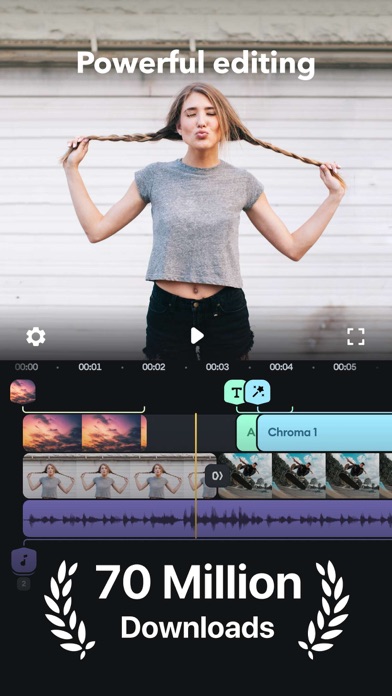
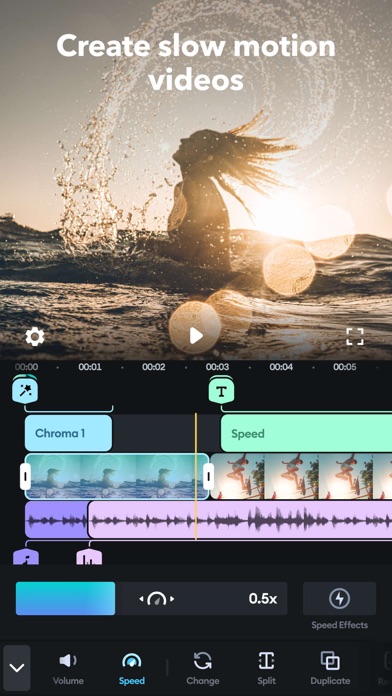
- Multi-Track Timeline: Manage several video and audio layers simultaneously for complex storytelling and overlays.
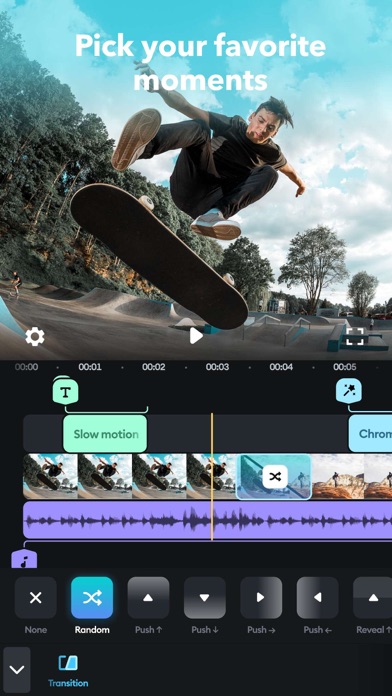
- Speed Control: Apply slow-motion effects or fast-forward segments to emphasize specific actions within your project.
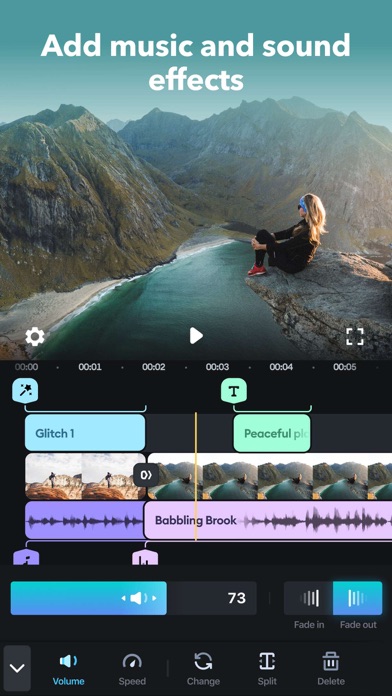
- Advanced Audio Library: Access a wide range of royalty-free tracks and sound effects to improve production value.
- Chrome Key (Green Screen): Replace backgrounds easily using professional-grade masking and transparency tools.
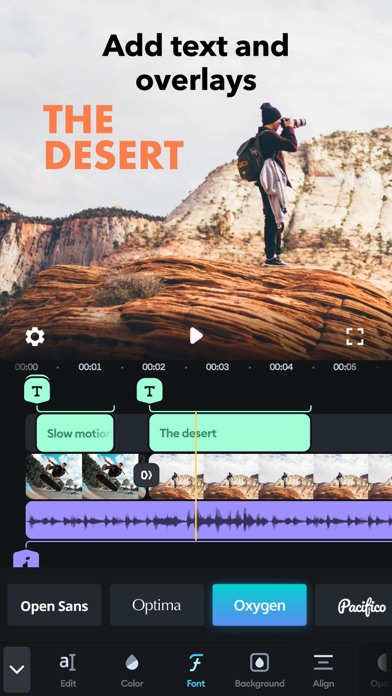
- Text and Overlays: Add customizable titles, lower thirds, and stickers to communicate more effectively with your audience.
Use Cases
- Social Media Marketing: Create high-impact promotional videos for platforms like Instagram, TikTok, and YouTube.
- Travel Vlogging: Edit raw vacation footage into a polished narrative while on the move, directly from your iPhone or iPad.
- Tutorial Production: Combine screen recordings with voiceovers and text pointers to explain complex tasks.
- Event Highlights: Quickly assemble clips from weddings or corporate events into a professional montage.
Why Choose Splice Video Editor Maker
This software bridges the gap between basic trimming tools and professional editing suites. The platform is engineered for efficiency, allowing users to execute complex edits through intuitive touch gestures. By utilizing Splice Video Editor Maker, creators benefit from a streamlined workflow that maintains high-resolution output while offering creative flexibility that most mobile editors lack.
Pros and Cons
Pros
- Intuitive drag-and-drop interface optimized for touchscreens.
- High-quality export options including 4K resolution.
- Powerful audio synchronization and editing features.
Cons
- Advanced features may require a learning curve for absolute beginners.
- Significant storage space is needed for high-resolution project files.
Final Verdict
Splice Video Editor Maker is a premier choice for mobile creators who demand professional results without the complexity of a desktop workstation. It offers a balanced and powerful toolkit that makes it a reliable platform for both quick edits and sophisticated video productions.
Ratings & Reviews
Please log in to write a review.
No reviews yet. Be the first to rate!