'%3e%3cpath%20fill='%230CCF60'%20d='M158.25%20175.542c0-29.271%2023.729-53%2053-53h131.375c29.271%200%2053%2023.729%2053%2053v131.023c0%2029.271-23.729%2053-53%2053H211.25c-29.271%200-53-23.729-53-53V175.542Z'/%3e%3cpath%20fill='%23D2DE75'%20d='M158.25%20452.518c0-29.271%2023.729-53%2053-53h131.375c29.271%200%2053%2023.729%2053%2053v131.024c0%2029.271-23.729%2053-53%2053H211.25c-29.271%200-53-23.729-53-53V452.518Z'/%3e%3cpath%20fill='%2315B66A'%20d='M434.875%20175.542c0-29.271%2023.729-53%2053-53H619.25c29.271%200%2053%2023.729%2053%2053v131.023c0%2029.271-23.729%2053-53%2053H487.875c-29.271%200-53-23.729-53-53V175.542Z'/%3e%3cpath%20fill='%23E7A95D'%20d='M434.875%20452.518c0-29.271%2023.729-53%2053-53H619.25c29.271%200%2053%2023.729%2053%2053v131.024c0%2029.271-23.729%2053-53%2053H487.875c-29.271%200-53-23.729-53-53V452.518Z'/%3e%3cpath%20fill='url(%23b)'%20d='M728.088%20123.584C586.142%2039.806%209.186-194.997%204.001%20342.299c-.08%208.242%206.658%2015.349%2014.9%2015.322l81.72-.262c8.736-.028%2015.536-8.148%2015.058-16.87-31.398-572.572%20754.324-133.144%20612.409-216.905Z'/%3e%3c/g%3e%3cdefs%3e%3clinearGradient%20id='b'%20x1='34.575'%20x2='673.419'%20y1='229.473'%20y2='-93.138'%20gradientUnits='userSpaceOnUse'%3e%3cstop%20stop-color='%2328E77B'/%3e%3cstop%20offset='1'%20stop-color='%2315B66A'/%3e%3c/linearGradient%3e%3cfilter%20id='a'%20width='749.251'%20height='644.542'%20x='0'%20y='0'%20color-interpolation-filters='sRGB'%20filterUnits='userSpaceOnUse'%3e%3cfeFlood%20flood-opacity='0'%20result='BackgroundImageFix'/%3e%3cfeColorMatrix%20in='SourceAlpha'%20result='hardAlpha'%20values='0%200%200%200%200%200%200%200%200%200%200%200%200%200%200%200%200%200%20127%200'/%3e%3cfeOffset%20dy='4'/%3e%3cfeGaussianBlur%20stdDeviation='2'/%3e%3cfeComposite%20in2='hardAlpha'%20operator='out'/%3e%3cfeColorMatrix%20values='0%200%200%200%200%200%200%200%200%200%200%200%200%200%200%200%200%200%200.25%200'/%3e%3cfeBlend%20in2='BackgroundImageFix'%20result='effect1_dropShadow_23_251'/%3e%3cfeBlend%20in='SourceGraphic'%20in2='effect1_dropShadow_23_251'%20result='shape'/%3e%3c/filter%3e%3c/defs%3e%3c/svg%3e)



About Todoist: To Do List & Calendar
Learn more about this application's features and capabilities.
Todoist is a professional task management software designed to help individuals and teams organize their daily workflows. This platform addresses the challenge of cognitive overload by allowing users to capture and categorize tasks the moment they come to mind. Whether you are managing complex professional projects or simple household chores, the tool provides a centralized hub to prioritize responsibilities and track progress over time.
Key Features
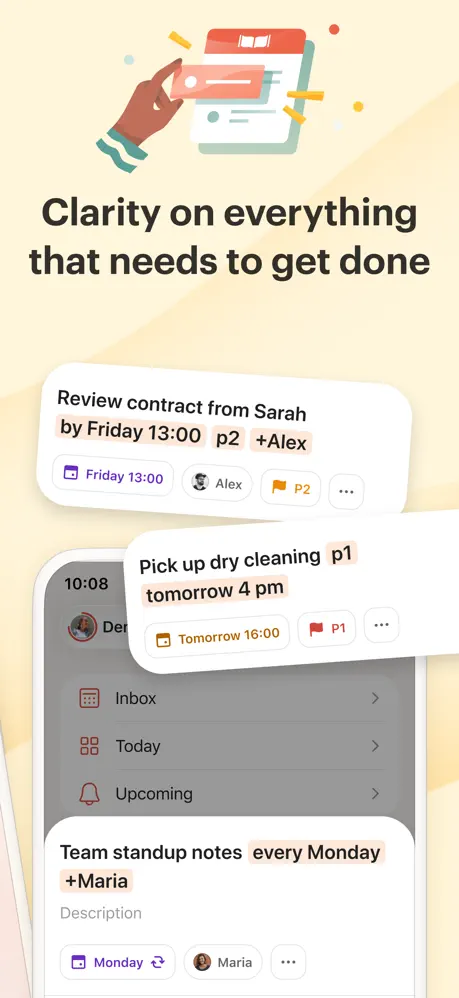
- Natural Language Input: Quickly add tasks by typing phrases like "meeting at 4pm every Friday" to set automated reminders.
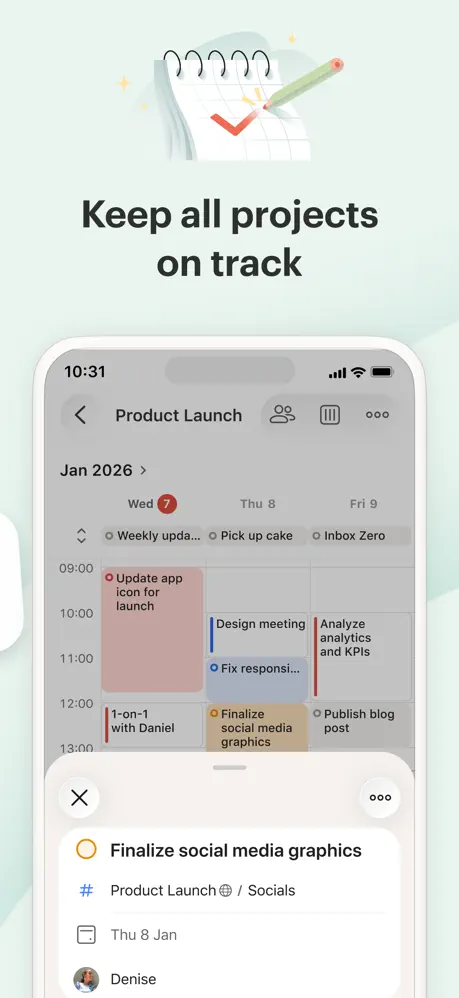
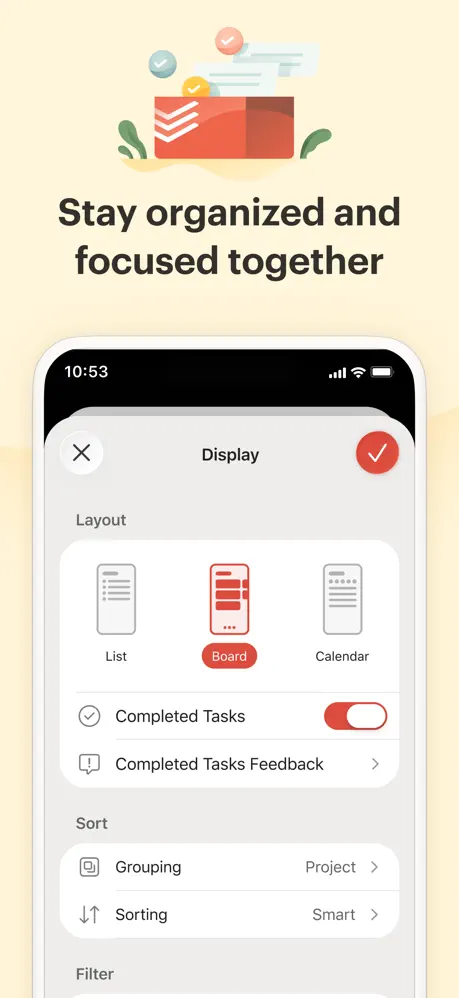
- Project Hierarchy: Organize related tasks into dedicated folders, sub-tasks, and sections for better visual clarity.
- Priority Levels: Assign color-coded priority rankings to distinguish between urgent deadlines and low-priority goals.
- Cross-Platform Sync: Access your data seamlessly across mobile, desktop, and web browsers with real-time updates.
- Productivity Visualizations: Track your daily and weekly accomplishments through personalized productivity trends and "Karma" points.
Use Cases
- Professional Project Management: Break down large work initiatives into manageable milestones with assigned due dates.
- Personal Habit Tracking: Create recurring tasks for daily routines such as exercise, reading, or medication reminders.
- Collaborative Planning: Share specific project folders with family members or colleagues to delegate tasks and monitor shared goals.
- Academic Scheduling: Input assignment deadlines and study sessions to maintain a balanced school-life schedule.
Why Choose Todoist
The primary benefit of choosing Todoist is its balance between power and simplicity. While many task managers are either too basic or overly complex, this software offers a clean interface that scales with your needs. Its robust integration ecosystem allows it to connect with other workplace tools, making it a highly flexible utility for anyone looking to increase their efficiency and reduce mental clutter.
Pros and Cons
Pros
- Exceptional natural language processing for fast task entry.
- Clean, distraction-free design that enhances focus.
- Reliable synchronization across all supported devices and operating systems.
Cons
- Some advanced features like reminders and file attachments require a subscription.
- Limited built-in calendar view compared to dedicated scheduling apps.
Final Verdict
Todoist remains one of the most reliable task management tools on the market, offering a streamlined approach to personal and professional organization. It is an ideal solution for users who need a dependable, easy-to-use system to stay on top of their commitments.
Ratings & Reviews
Please log in to write a review.
No reviews yet. Be the first to rate!