'%3e%3cpath%20fill='%230CCF60'%20d='M158.25%20175.542c0-29.271%2023.729-53%2053-53h131.375c29.271%200%2053%2023.729%2053%2053v131.023c0%2029.271-23.729%2053-53%2053H211.25c-29.271%200-53-23.729-53-53V175.542Z'/%3e%3cpath%20fill='%23D2DE75'%20d='M158.25%20452.518c0-29.271%2023.729-53%2053-53h131.375c29.271%200%2053%2023.729%2053%2053v131.024c0%2029.271-23.729%2053-53%2053H211.25c-29.271%200-53-23.729-53-53V452.518Z'/%3e%3cpath%20fill='%2315B66A'%20d='M434.875%20175.542c0-29.271%2023.729-53%2053-53H619.25c29.271%200%2053%2023.729%2053%2053v131.023c0%2029.271-23.729%2053-53%2053H487.875c-29.271%200-53-23.729-53-53V175.542Z'/%3e%3cpath%20fill='%23E7A95D'%20d='M434.875%20452.518c0-29.271%2023.729-53%2053-53H619.25c29.271%200%2053%2023.729%2053%2053v131.024c0%2029.271-23.729%2053-53%2053H487.875c-29.271%200-53-23.729-53-53V452.518Z'/%3e%3cpath%20fill='url(%23b)'%20d='M728.088%20123.584C586.142%2039.806%209.186-194.997%204.001%20342.299c-.08%208.242%206.658%2015.349%2014.9%2015.322l81.72-.262c8.736-.028%2015.536-8.148%2015.058-16.87-31.398-572.572%20754.324-133.144%20612.409-216.905Z'/%3e%3c/g%3e%3cdefs%3e%3clinearGradient%20id='b'%20x1='34.575'%20x2='673.419'%20y1='229.473'%20y2='-93.138'%20gradientUnits='userSpaceOnUse'%3e%3cstop%20stop-color='%2328E77B'/%3e%3cstop%20offset='1'%20stop-color='%2315B66A'/%3e%3c/linearGradient%3e%3cfilter%20id='a'%20width='749.251'%20height='644.542'%20x='0'%20y='0'%20color-interpolation-filters='sRGB'%20filterUnits='userSpaceOnUse'%3e%3cfeFlood%20flood-opacity='0'%20result='BackgroundImageFix'/%3e%3cfeColorMatrix%20in='SourceAlpha'%20result='hardAlpha'%20values='0%200%200%200%200%200%200%200%200%200%200%200%200%200%200%200%200%200%20127%200'/%3e%3cfeOffset%20dy='4'/%3e%3cfeGaussianBlur%20stdDeviation='2'/%3e%3cfeComposite%20in2='hardAlpha'%20operator='out'/%3e%3cfeColorMatrix%20values='0%200%200%200%200%200%200%200%200%200%200%200%200%200%200%200%200%200%200.25%200'/%3e%3cfeBlend%20in2='BackgroundImageFix'%20result='effect1_dropShadow_23_251'/%3e%3cfeBlend%20in='SourceGraphic'%20in2='effect1_dropShadow_23_251'%20result='shape'/%3e%3c/filter%3e%3c/defs%3e%3c/svg%3e)



About YouCut - Video Editor
Learn more about this application's features and capabilities.
YouCut Video Editor is a specialized mobile software designed for creators who need to produce high-quality video content without the interference of watermarks. This platform serves social media influencers, vloggers, and casual users who require a robust tool to edit footage directly on their iOS devices. It effectively solves the problem of complex desktop editing by providing a simplified, intuitive interface that maintains professional standards for YouTube, Instagram, and TikTok productions.
Key Features
- No Watermark Editing: Export finished projects without any forced branding, ensuring a clean and professional look for all videos.
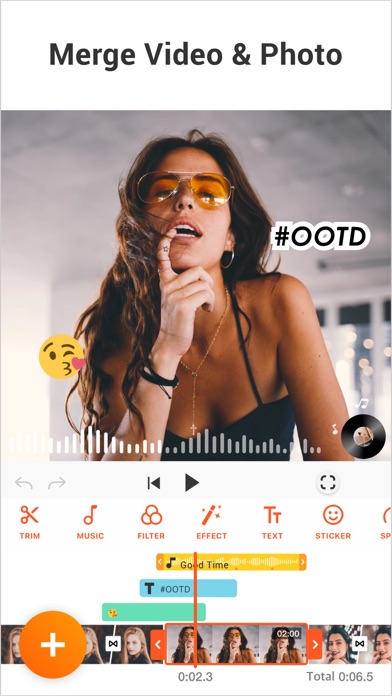
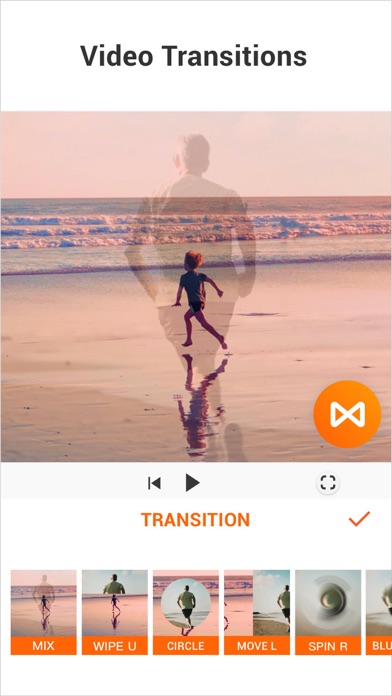
- Video Merger and Joiner: Combine multiple video clips into one single file with seamless transitions and no quality loss.
- Speed Control: Adjust video tempo using slow-motion or fast-motion effects to highlight specific moments or create time-lapse sequences.
- Music and Sound Effects: Add free featured music, your own local files, or adjust volume levels to balance background audio with voiceovers.
- Pro-Level Filters: Apply cinematic color filters and FX effects to enhance the visual mood and consistency of your footage.
Use Cases
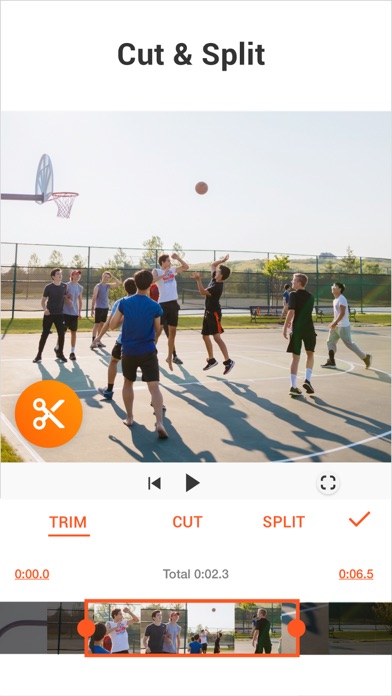
- Social Media Content: Create polished Reels or YouTube Shorts by trimming long footage into engaging, bite-sized segments.
- Vlogging: Assemble travel clips and daily updates into a cohesive narrative with titles, music, and smooth transitions.
- Business Presentations: Produce short promotional videos or product demos with clear text overlays and professional pacing.
- Memory Keepsakes: Compile family videos and photos into a montage for personal archiving or sharing on private platforms.
Why Choose YouCut Video Editor
This tool stands out because it balances advanced functionality with extreme ease of use. The primary benefit of the YouCut Video Editor software is its commitment to providing a clutter-free workspace, allowing users to focus on creativity rather than technical hurdles. Unlike many mobile editors, it provides essential pro features like precise trimming and multi-layer audio without requiring a steep learning curve.
Pros and Cons
Pros
- Completely watermark-free output for all users.
- Highly optimized for fast rendering and high-resolution exports.
- Clean interface with no intrusive advertisement interruptions during editing.
Cons
- Limited selection of advanced 3D motion graphics.
- Some complex multi-track layering features are restricted compared to desktop suites.
Final Verdict
YouCut Video Editor is a reliable and efficient platform for anyone looking to edit videos quickly and professionally on the go. It provides a comprehensive set of features that cater to both beginners and more experienced mobile creators.
Ratings & Reviews
Please log in to write a review.
No reviews yet. Be the first to rate!